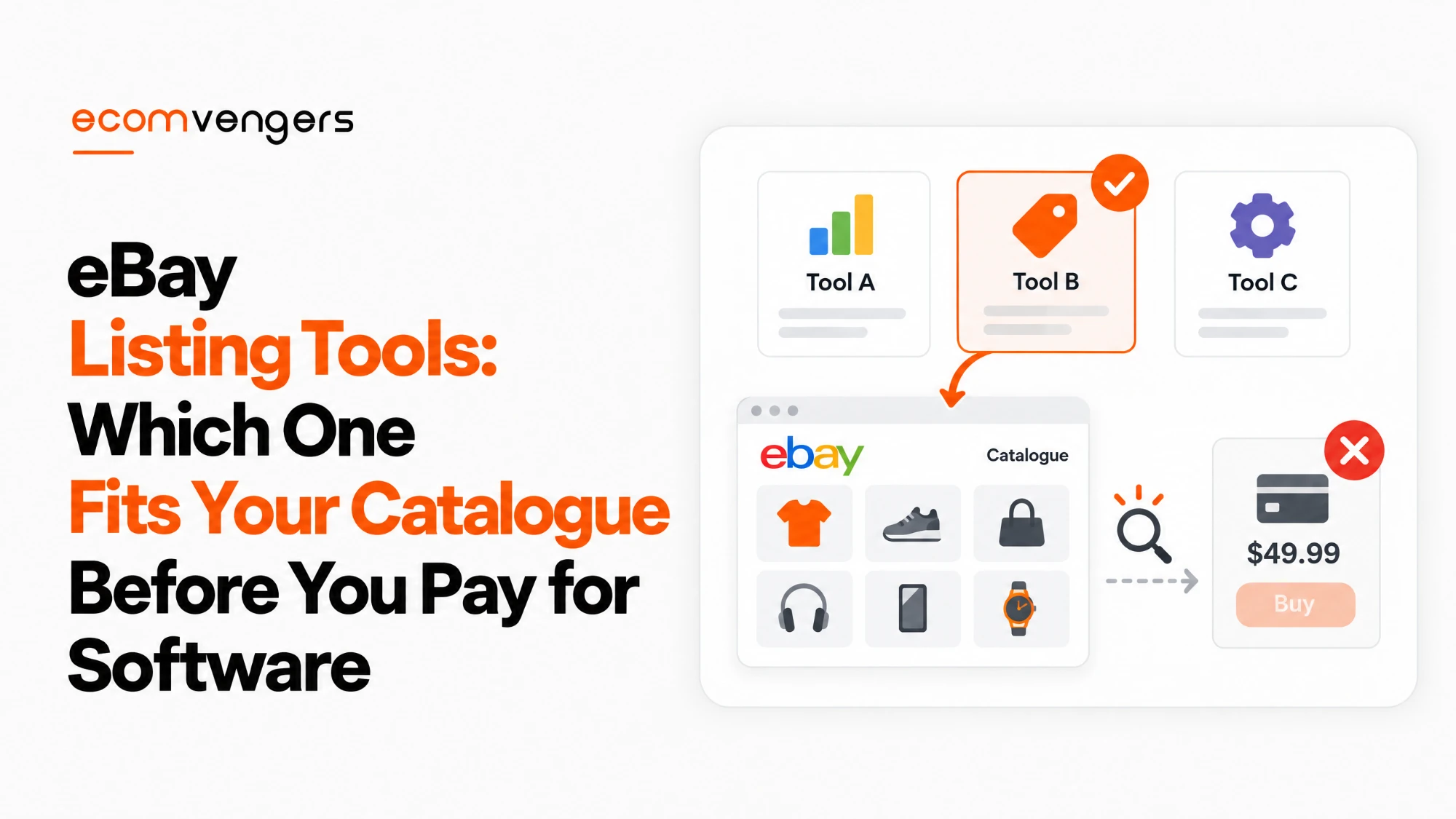
eBay publishes its own sizing chart for its listing tools, and almost none of the software reviews ranking “the best eBay listing software” mention it.
The chart puts the advanced listing tool at about 25 to 100 items, bulk listing at 100 to 250, and Seller Hub Reports at 250 to 1,000. Only beyond that does eBay start pointing sellers at feeds, APIs and paid providers.
So most catalogues fit inside tools that cost nothing. The question worth asking is not which software to buy, but which free tool you have outgrown.
Bulk tools also copy mistakes faster than any person could, which is the sort of damage our eBay SEO team is usually called in to unpick.
This guide covers every eBay listing tool on eBay.com, what each one actually does, the limits eBay documents, and the point where paying for software starts to make sense.
Key Takeaways
- eBay sizes its own listing tools by catalogue. The advanced listing tool suits about 25 to 100 items, bulk listing 100 to 250, and Seller Hub Reports 250 to 1,000.
- Every one of those tools is free and lives inside Seller Hub.
- Draft listings are saved for 75 days after their last update.
- You can keep up to 50 listing templates for items you list repeatedly.
- The Bulk Listing Tool edits up to 2,000 listings at once, including prices by percentage or dollar amount.
- Seller Hub Reports is the renamed File Exchange, and old File Exchange templates do not carry over.
- Report uploads usually finish in under 15 minutes, and downloads cover the last 90 days only.
- The AI photo tool turns photos into drafts, but eBay states you remain responsible for every detail it fills in.
- It copies your policies from your latest listing in the same category, so check them before publishing.
- Merchant Integration Platform takes feeds up to 25 MB and can upload over 50,000 SKUs in under 30 minutes.
- eBay names its own Gold and Silver software partners, and warns those solutions may carry costs.
- Team Access lets staff list without your password, and every team member needs two-factor authentication.
Which eBay Listing Tools Exist and Who Each One Is For
eBay offers four main listing tools inside Seller Hub, each matched to a catalogue size. They are the advanced listing tool, bulk listing, Seller Hub Reports and a photo upload tool for standardised items.
Beyond those sit the heavier options. eBay groups them as third party providers and APIs, and says they suit sellers whose inventory has grown large or spans several platforms.
eBay is also clear that you can mix them. Its own wording is that “you can use multiple options”, which is sensible, because a seller with 600 items still lists a one-off by hand.
Treat the bands as guidance rather than walls. Nothing stops a seller with 40 items using Reports, and the chart describes where each tool stops being comfortable rather than where it stops working.
How the eBay Advanced Listing Tool Works
The advanced listing tool is eBay’s standard single-listing form, available to every Seller Hub user on desktop and mobile browsers. eBay rates it best for roughly 25 to 100 items.
You start from Create listing in Seller Hub Listings, then choose Single listing or Multiple listing. eBay starts the listing from similar items once you describe what you are selling.
The form carries more than most sellers use. It handles item specifics, a paid subtitle, variations, condition, photos and video, a second category, pricing, shipping and preferences in one place.
The limits inside the advanced listing tool
Photos must be at least 500px on the longest side, in formats from .jpeg and .png to .heic. One video per listing is free, up to 150MB or about a minute long.
For descriptions, eBay recommends one typeface in black 14pt. Our guides to eBay listing photos and listing videos cover what to put in each.
There is also a “Your cost” field on desktop. Enter what you paid for an item and eBay shows your net earnings on the order page, although eBay does not verify the figure and buyers never see it.
One oddity is worth knowing. eBay says a browser plugin called LanguageTool can make descriptions appear blank, and the fix is to remove anything with an “lt-” prefix from the description HTML.
Listing templates for items you sell repeatedly
A listing template stores a complete listing so you do not start from scratch each time, and eBay lets you keep up to 50 templates in Seller Hub.
You create one from Listing templates in Seller Hub, name it for the item type, fill in the details and save. To use it, pick Create listing from the Actions menu.
Templates also keep your information consistent across listings, which matters more than it sounds. A buyer comparing two of your items should not find two different return terms.
How the eBay Bulk Listing Tool Handles Hundreds of Listings
The Bulk Listing Tool lets you relist, revise, sell similar and finish drafts across many listings at once. eBay’s help page says it manages up to 2,000 listings.
eBay’s Seller Center describes the same tool as best for 100 to 250 items. The two figures are not a contradiction so much as a comfort zone inside a capacity, but they are worth knowing before you plan around either.
You reach the tool from several places in Seller Hub, including Active listings, Unsold, Scheduled, Drafts and Orders. Tick two or more listings, or Select all, and choose an action.
The available actions are Relist, Relist as fixed price, Sell similar, Create multiple listings, Resume drafts, Edit, Edit templates and Change to auction.
What the Bulk Listing Tool can change at once
Pricing is where it earns its keep. You can raise or lower prices across many listings by a percentage or a dollar amount, and set Buy It Now and auction prices together.
It also schedules start times and sets intervals between them, so a batch does not go live in a single minute.
Volume pricing and Promoted Listings details can be managed from the same view, which saves opening each listing in turn.
Why eBay bulk edits fail
Most bulk edit failures come from editing something eBay will not let you change. eBay’s bulk editing tips name the usual culprits:
- Listing format, which cannot change after listing
- Auctions within 12 hours of ending
- Listings with outstanding Best Offers
- Older Good ‘Til Cancelled listings that no longer meet current policy, such as ones still mentioning cheque or money order payment
eBay’s advice is to start simple. Submit the listings that work, read the error on the rest, and cut down the number of fields or listings you edit at once until the culprit shows itself.
Key point: a bulk edit that fails on 40 of 400 listings has not failed. It has told you which 40 listings carry a problem you would otherwise never have found.
How Seller Hub Reports Lists Inventory From a Spreadsheet
Seller Hub Reports, formerly eBay File Exchange, lets you add, revise, relist and end listings by uploading a CSV or XLSX template. eBay suggests it for roughly 250 to 1,000 items.
Access depends on account type. Business sellers are opted into Seller Hub automatically, while private sellers need at least one sale first, a point our comparison of eBay account types covers in full.
The workflow runs in four steps. You download a template from the Upload section, fill it in, upload it as .xlsx or .csv, and download the result report eBay generates.
eBay recommends listing a single product first if Reports is new to you. That is good advice, because a spreadsheet error repeats on every row it touches.
The Seller Hub Reports details most sellers miss
New listings through Reports generally need hosted images. The Create drafts template is the exception, because it lets you leave the image URL column blank and add photos when you convert drafts into listings.
Uploads usually take under 15 minutes, although very large files can take longer. When one finishes, eBay generates a downloadable report of every action it took.
Downloads only reach back 90 days, and eBay notes they do not contain returns or refunds. For older data, you have to request your eBay data separately.
Order reports can also run on a schedule, hourly, daily, weekly or monthly. A scheduled fulfilment report can update shipping details without anyone opening a file.
Description formatting has to be written in HTML with no hard or carriage returns. Keep it to paragraphs and bullet points, as eBay suggests, unless you enjoy debugging spreadsheets.
And if you used File Exchange before, start again. Templates and reports created or scheduled in the legacy tool do not carry over to Reports.
How the eBay AI Photo Listing Tool Creates Drafts
eBay’s AI photo tool turns product photos into draft listings. It suggests categories, titles and item specifics for you to review.
In eBay’s own announcement, the tool is available to US sellers across all categories, on desktop and mobile web. It processes hundreds of photos per batch, so you can create hundreds of drafts at a time.
You find it under Create listings in Seller Hub Listings, by choosing Multiple listings from photos. You set how many photos make up each draft, upload them, and edit the drafts before they go live.
What the AI photo tool will not check for you
eBay says plainly that it prefills values only when it is confident of a match, and that “you’re responsible for the accuracy of your listings”. The tool drafts; it does not vouch.
It also applies your shipping, return and payment policies from your most recent listing in the same category. If that listing carried an unusual policy, every new draft inherits it.
Using the tool is optional. Sellers who want bulk listing without AI can pick Multiple listings from the same Create listing menu instead.
Worth knowing: an AI suggestion that picks the wrong condition or item specific is still your listing. Check the drafts as if a new member of staff had written them, because in effect one has.
Merchant Integration Platform and eBay APIs for Feed-Scale Sellers
Merchant Integration Platform, or MIP, is eBay’s feed-based bulk tool for SKU-based inventory, accepting CSV and XML feeds up to 25 MB. eBay says it can upload over 50,000 SKUs in under 30 minutes.
eBay pitches MIP at sellers already used to feed files on Amazon or Google Shopping, who can reuse the same formats. Feeds larger than 25 MB should be split into several files.
Beyond MIP sit the APIs, which need development work or a provider who has already done it. eBay lists three for listing work.
- The Inventory API, a RESTful interface for SKU-based inventory records, stock levels and listings
- A Trading API that lets large sellers and platforms add, revise, relist or end listings
- The Sell Feed API, which processes bulk files in the background and can download an Active Inventory Report
eBay labels every tool by inventory volume and difficulty, and the labels are a fair summary of who each is for.
| Tool | Inventory volume | Difficulty | Best for |
|---|---|---|---|
| Advanced listing tool | About 25 to 100 items | Simple | Listing one item at a time |
| Bulk Listing Tool | Medium, up to 2,000 | Easy | Repricing and relisting in batches |
| Seller Hub Reports | High | Intermediate | Spreadsheet listing, 250 to 1,000 items |
| Merchant Integration Platform | High | Advanced | SKU feeds already used elsewhere |
| Inventory, Trading and Sell Feed APIs | High | Advanced | Custom or provider integrations |
When Paid eBay Listing Software Is Worth It
Paid eBay seller software, listing tools included, is worth it mainly when you sell the same stock on several channels and need it kept in sync. That is the one job eBay’s free tools do not do on their own.
eBay says as much about its APIs, describing them as a way to keep inventory “synced across multiple platforms”. Third party providers usually reach eBay through those same interfaces.
eBay keeps its own third party providers page, which sorts listing and inventory software into Gold and Silver partners and notes that there may be costs.
- Gold partners named include Rithum, Linnworks, Auctiva, CED Commerce, SureDone, Hollander, RevolutionParts, Webinterpret and Vendoo
- Silver partners named include WHI, Sellbrite, Upright, Sellercloud, Shopify Marketplace Connect, Kyozou, SixBit, Wonderlister, Celigo, Nifty, Solid Commerce and M2E Pro
- E-commerce platforms with eBay connectors include Adobe Commerce, BigCommerce, GoDaddy, Lightspeed, Shopify, Squarespace, Wix and WooCommerce
Most of these products are an eBay lister with inventory sync attached. We have not tested them, and we will not rank them. The honest test is simpler: if the work you want automated already sits inside Seller Hub, the software is selling you a convenience rather than a capability.
A website on Shopify or WooCommerce changes the sum. A connector that lists the same stock on both channels solves a problem no amount of bulk editing on eBay will.
Selling Manager Pro and the older eBay tools
eBay’s selling tools overview still lists Selling Manager and Selling Manager Pro, but its help link for them now opens the Seller Hub article instead.
So treat any guide that recommends Selling Manager Pro with some suspicion. Check it is still offered before paying. eBay has clearly consolidated its tools into Seller Hub, much as a family consolidates its leftovers into one large and slightly alarming pie.
How eBay Team Access Lets Staff List Without Your Password
Team Access lets you invite people to work in your Seller Hub using their own eBay accounts. You choose the permissions, and you never share your password.
You can grant listing permissions, such as posting, managing and drafting listings, alongside orders, messaging, marketing and research permissions.
Team members never see personal, business or bank information, or account administration. Each one needs an eBay account with two-factor authentication enabled.
There is no limit on team size, although eBay recommends no more than 10 authorised users. That is a lot of hands on one catalogue, so give each person only the permissions their job needs.
This matters for account safety as well as convenience. A shared login leaves no record of who changed what, which makes a later policy problem much harder to explain to eBay.
How Bulk Listing Tools Put an eBay Account at Risk
Bulk tools put an account at risk because they repeat one error across every listing they touch. eBay’s item description policy lists account suspension among its possible responses.
Three rules in that policy are easy to break in bulk:
- The condition must match the item and stay consistent across title, description and item specifics.
- Required identifiers such as Brand, UPC or MPN cannot read “Does not apply” or “N/A” when the manufacturer has provided them.
- Product details must match the item exactly when you list from the eBay catalog.
A template that defaults every Brand field to “Does not apply” is the classic case. One cell, copied down a spreadsheet, becomes several hundred policy breaches in a single upload.
Our guides to eBay item specifics and eBay product identifiers explain what each field needs. If a bulk mistake has already cost you the account, start with our pillar on eBay account suspension.
Key point: audit a bulk template before the upload, not after. Fixing one cell takes a minute, while fixing 400 live listings takes an afternoon and leaves a record behind it.
FAQs About eBay Listing Tools
What listing tools does eBay offer?
eBay offers the advanced listing tool, listing templates, the Bulk Listing Tool, Seller Hub Reports, an AI photo listing tool, Merchant Integration Platform and several APIs. All except the APIs are reached from Seller Hub.
Are eBay listing tools free?
Yes, eBay’s own listing tools are free inside Seller Hub. Third party software listed on eBay’s providers page may carry costs, as eBay itself notes.
What is the best eBay listing software?
eBay does not rank software, but it does name Gold and Silver partners. The best choice depends on whether you sell on other channels, because syncing stock across platforms is what free tools do not cover.
Do I need listing software for eBay?
Usually not below about 1,000 items, which is where eBay’s own guidance moves sellers from Seller Hub Reports to feeds and APIs. Multichannel sellers are the main exception.
Is there free eBay listing software?
Seller Hub is the free option, and it bundles the advanced listing tool, bulk listing, templates and Reports. You need at least one sale as a private seller, while business sellers are opted in automatically.
What is the best AI for eBay listings?
eBay’s own photo tool generates drafts with suggested categories, titles and item specifics from your photos. Whatever tool you use, eBay holds you responsible for the accuracy of what it fills in.
How many listings can I edit at once on eBay?
The Bulk Listing Tool manages up to 2,000 listings, according to eBay’s help page. Seller Hub Reports and the APIs handle larger volumes through files and feeds.
How do I bulk list items on eBay?
Download a Create new listings template from the Reports tab in Seller Hub, fill it in, and upload it as CSV or XLSX. eBay suggests testing with a single product first.
What happened to eBay File Exchange?
It became Seller Hub Reports. Templates and schedules made in File Exchange do not carry over, so you have to create them again in Reports.
How long does eBay keep draft listings?
eBay saves drafts for 75 days after their last update, according to its Seller Center.
How many listing templates can I save on eBay?
Up to 50, created and managed from Listing templates in Seller Hub.
What is the eBay Merchant Integration Platform?
MIP is a feed-based tool for SKU inventory that accepts CSV and XML files up to 25 MB. eBay says it can upload over 50,000 SKUs in under 30 minutes.
Why does my eBay bulk edit keep failing?
Common causes include trying to change a listing’s format, editing an auction within 12 hours of its end, open Best Offers, and old listings that break current policy.
What is the best eBay listing program for high volume sellers?
At feed scale, eBay points high volume sellers to Merchant Integration Platform, its APIs or a third party provider. Which one fits depends on whether your inventory already lives in a feed or another platform.
Can someone else list items on my eBay account?
Yes, through Team Access. They use their own eBay account with two-factor authentication, and see only the Seller Hub sections you grant.
Choose the eBay Listing Tool Your Catalogue Has Outgrown
Most sellers shopping for listing software are trying to solve a problem eBay has already priced at nothing, which is a bit like hiring a removal van to move a chair.
Four checks, in this order.
- Count your active listings and find your band on eBay’s own chart, from 25 to 100 items up to 1,000 and beyond.
- Move repeat items onto templates, and use the Bulk Listing Tool for repricing and relisting.
- Shift to Seller Hub Reports once you list in batches, and test every template on one product first.
- Pay for software only when you sell the same stock elsewhere and need it kept in sync.
None of the first three steps needs a subscription. That leaves any software budget for the one problem software genuinely solves, which is stock shared across channels.
Whatever tool you choose, audit the template before it touches a live listing. A bulk tool makes you faster, and it makes your mistakes faster too.
Before a big upload, run your titles through our eBay listing title analyser. If a bulk error has already turned into restrictions, our eBay SEO team can help clean the catalogue up.
Software can save hours. It cannot save a listing that was wrong before it was copied.
Sources
- eBay’s Seller Center page on listing tools, for the catalogue size bands, the photo upload tool, the 75 day draft retention and the role of providers and APIs.
- The bulk listing tools help page, for the 2,000 listing figure, bulk actions, pricing changes, scheduling, MIP’s 25 MB limit and the three APIs.
- Bulk editing errors, the 90 day download window and the HTML rule come from the Seller Center guide to eBay bulk listing tools.
- Template steps, upload times, scheduled reports, legacy File Exchange and the 50,000 SKU figure rely on Seller Hub Reports.
- Photo and video limits, the Your cost field and the LanguageTool fix are documented under the advanced listing tool.
- A 50 template limit is set out in selling templates.
- What the AI tool fills in, and the accuracy warning, are taken from eBay’s AI-powered bulk listing announcement.
- Gold and Silver partners appear on eBay’s third party providers page.
- Selling Manager’s listing is shown in the selling tools overview.
- Permissions and the two-factor requirement follow Team Access.
- Condition, identifier and catalog rules, plus suspension, sit in the item description policy.
Zaman Khan is the eBay and TikTok Shop expert at EcomVengers. He covers the commercial side of selling: fees, pricing, profit tracking, shipping, listing tools and the account decisions that shape a store. He writes our guides on what eBay actually charges and how to run a catalogue efficiently.
View all posts by Zaman Khan