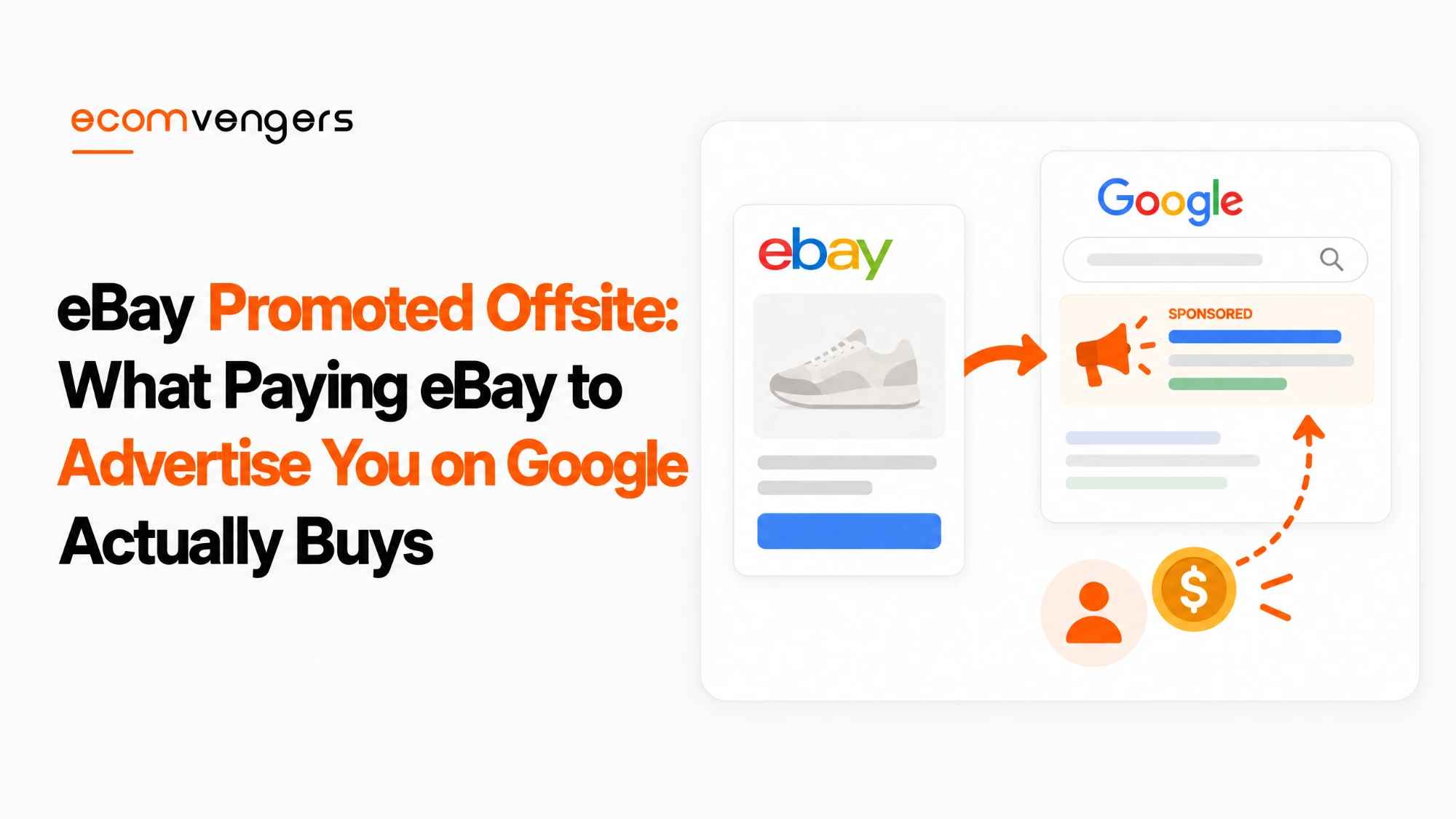
eBay Promoted Offsite is eBay’s way of buying ads for your listings on Google and other sites outside eBay.
You set a daily budget, eBay chooses where the ads run and what each click costs, and buyers who click land on your eBay listing.
It sounds like a simple trade. In practice, three details decide whether it pays: how eBay sets the price of a click, how widely it credits sales to the ads, and what the budget actually allows it to spend on a given day.
Advertising is part of the listing work our eBay SEO team reviews, and Promoted Offsite is the ad type sellers understand least.
This guide covers how Promoted Offsite works, what it costs, how eBay attributes sales to it, and how to judge whether it is earning its budget.
Key Takeaways
- Promoted Offsite shows your listings as ads on external channels such as Google. Buyers who click land on your eBay listing.
- You pay per click, not per sale, and eBay sets the cost of each click rather than you.
- Only fixed price listings qualify. Auctions are not eligible.
- A campaign covers your entire eligible inventory. You cannot pick individual listings.
- You can run only one Promoted Offsite campaign at a time per site.
- eBay sets your monthly cap at 30.4 times your target daily budget.
- Any single day can cost up to twice the daily budget when buyer interest rises.
- Ending a campaign early can also mean days at up to twice the budget.
- A sale counts as an ad sale if the buyer buys any item from you within 30 days of clicking any of your offsite ads.
- eBay uses AI to rewrite your titles for Google ads, while your eBay listing title stays the same.
- Promoted Stores is a different product. It needs a Store subscription and uses bids on keywords and categories.
- The break-even cost per click is your margin times your click-to-sale rate, which is the figure that decides whether to keep a campaign running.
What eBay Promoted Offsite Is and Where the Ads Appear
eBay Promoted Offsite is an advertising tool that shows your eligible fixed price listings as ads on external channels, with Google named as the main example.
eBay’s Promoted Offsite help page says the ads reach buyers “who start their shopping journey outside of eBay”. A click takes the buyer straight to your eBay listing page.
eBay says it may add more placements in future. For now, it describes the channels as external sites “like Google” without listing the rest.
The three kinds of eBay ad
Promoted Offsite is one of three ad types in the Advertising tab of Seller Hub, and each one works differently.
Our guide to eBay Promoted Listings covers the on-site ads, including the general and priority strategies, in full. This guide covers the off-site one, which follows quite different rules.
Why you cannot choose which listings to promote
A Promoted Offsite campaign promotes your entire eligible inventory, not a selection.
eBay’s developer documentation for Promoted Offsite says a seller’s “entire eligible inventory can appear as an ad”. It also states that only one campaign per seller is supported.
That is the biggest practical difference from Promoted Listings, where rules and manual selection let you choose. With Promoted Offsite, the only real levers are the budget, the dates and the quality of the listings themselves.
How eBay Promoted Offsite Charges You
Promoted Offsite charges a cost per click, and eBay sets that cost for each listing every day rather than letting you bid.
eBay names four inputs: the external channel, what its partners charge eBay for your ads, historical click costs for your listings or similar ones, and service fees.
Some channels use a dynamic cost per click that adjusts automatically. Others use a fixed cost per click that eBay may change from time to time based on performance.
The practical point is simple. You control how much you spend in total, but not what you pay for each click.
How the daily and monthly budget work
You set a target daily budget, and eBay turns it into a monthly cap of 30.4 times that figure.
eBay’s own example uses a $10 daily budget. Even so, the campaign cannot cost more than $304 in a calendar month, while any single day can run from $0 to $20.
Budget around the monthly cap. The daily figure is a target eBay averages towards, not a ceiling it stops at.
Two smaller details matter for accounts. eBay says the budget is exclusive of any applicable VAT or GST, and ad fees appear in the Payments tab in Seller Hub or on the transactions page in My eBay.
The two moments a budget runs higher than expected
Two situations can push daily spend towards twice the target, and both catch sellers out.
The first is ending a campaign early. eBay says it may charge up to twice the daily budget on each day, because the campaign has not had time to average out its spend.
The second is changing the budget mid-day. eBay bases that day’s limit on the highest daily budget you set that day, so cutting from $15 to $10 can still allow $30 of spend on the day of the change.
Change the budget early in the day, or not at all. A cut takes effect for the rest of the month, but on the day you make it, eBay still allows spend of up to twice the highest budget you set that day.
The minimum budget varies by seller
eBay sets a minimum daily budget, and it is not the same for everyone.
Its developer documentation says the minimum is set “at the seller, marketplace and daily level”, so it can vary by seller, by day and by marketplace. Any fixed minimum you read in a forum thread may not apply to you.
eBay also offers a suggested budget and a click estimate during setup. Both are useful starting points, though neither tells you whether the clicks will be profitable.
How eBay Credits Sales to Promoted Offsite
eBay credits a sale to Promoted Offsite if the buyer purchases any item from you within 30 days of clicking any of your Promoted Offsite ads.
The help page is explicit: “even if they don’t buy the exact item they clicked on, the sale can still be attributed to your ad”.
That is a generous rule, and it shapes every figure on the dashboard. A buyer who clicks an ad for one item, browses your Store and buys something else three weeks later counts as an ad sale.
Why the attribution rule flatters the results
A broad attribution rule makes return on ad spend look better than the ads may deserve.
Some of those buyers would have found you anyway. A repeat customer who clicks an ad on Google, then buys from you as usual, adds to the ad’s sales without the ad changing anything.
This is the same incrementality problem our Promoted Listings guide describes, made wider by the any-item rule. Treat the dashboard’s return on ad spend as a ceiling, not a measurement.
Which Listings Qualify for eBay Promoted Offsite
Only fixed price listings qualify for Promoted Offsite, and auction listings are not eligible.
eBay adds two further conditions. Some channels may require fixed or free shipping, and placement depends on the external channels’ own policies and requirements.
That last point matters more than it sounds. Google decides what it will show, so eBay cannot promise that every eligible listing will appear.
What eBay says helps offsite ads perform
eBay’s best practices for Promoted Offsite are mostly listing quality, applied to a different audience.
It recommends clear titles, accurate descriptions, high-quality photos, detailed item specifics, and no photo overlays. Its Seller Center page on Promoted Offsite adds clear, well-lit images, ideally on a white background, and up-to-date price and availability.
Our guides to eBay listing photos and item specifics cover both in detail. A buyer arriving from Google sees your listing cold, with no eBay search page around it.
How eBay Rewrites Your Titles for Google Ads
eBay uses AI to rewrite your listing titles for external platforms such as Google Shopping, and it does this automatically for items in active Promoted Offsite campaigns.
The rewrite only changes the title used in the ad. eBay says your original title on eBay.com “will remain exactly as you created it”, and the rewrite does not change how ad fees are worked out.
You do not approve each rewritten title. eBay shows examples under Learn more in your campaign settings, which is worth a look before launching, so you know how your items will read on Google.
A title written for eBay search and one written for Google can reasonably differ. Our guide to eBay listing titles covers the eBay side.
How Promoted Offsite Differs From Promoted Stores
Promoted Stores advertises your eBay Store rather than individual listings, and it works on bids rather than eBay-set prices.
eBay’s Promoted Stores help page describes ads that show your Store name, logo, a headline and several top listings. They highlight either one category or one coded coupon per campaign.
Its pricing uses a second price auction. eBay weighs your bid, other sellers’ bids, historical performance and a reserve price.
| Question | Promoted Offsite | Promoted Stores |
|---|---|---|
| What the ad points to | Your listings, on channels such as Google | Your Store, a category or a sale page |
| How you pay | Per click, price set by eBay | Per click, through a bid auction |
| What you control | Budget and dates | Bids, keywords, sub-categories, budget |
| What a campaign covers | All eligible fixed price listings | One category or one coupon |
| Number of campaigns | One at a time per site | As many as you like |
| Store needed | No | Yes, an eBay Store subscription |
Promoted Stores also gives you three ways to target. Smart targeting lets eBay choose and bid daily, manual targeting with dynamic bidding lets you pick keywords and sub-categories while eBay adjusts bids, and manual targeting with fixed bidding leaves both to you.
eBay suggests giving Promoted Stores campaigns at least two weeks, because sales and return on ad spend can take up to 14 days to mature.
Its budget rules read differently in two places on the same page. One section says a campaign stops serving once it reaches its daily budget, with nothing rolling over. Another describes monthly pacing that spends more on busy days within a monthly limit.
Treat the monthly limit as the firm figure and watch daily spend in the first fortnight. That is the only way to see which behaviour applies to your campaign.
How to Tell Whether eBay Promoted Offsite Is Paying
Promoted Offsite pays when the sales it genuinely creates earn more margin than the clicks cost, and the break-even point is easy to work out.
Multiply your profit per sale by the share of ad clicks that turn into sales. The result is the most a click can cost before the campaign loses money.
Two inputs matter, and both are easy to overstate. Use profit after eBay fees and postage, not the sale price, and use a click-to-sale rate that discounts the buyers who would have bought anyway.
Then compare the result with your actual cost per click, which you can work out from the dashboard as ad fees divided by clicks. If the real cost sits above break-even, the campaign is buying sales at a loss.
When Promoted Offsite is a poor fit
Promoted Offsite suits some catalogues far better than others, and a few patterns make it a poor bet from the start.
Auction-led sellers gain little, because auctions cannot join. Sellers of low-margin items struggle too, since a small profit per sale leaves a tiny break-even cost per click.
Thin listings waste the clicks they get. A buyer arriving from Google with no eBay context needs a clear photo, a full set of specifics and an accurate price to stay.
Products people rarely search for on Google are the last group. If buyers find your items by browsing eBay rather than searching the web, external ads have little demand to work with.
What the dashboard shows
eBay’s Advertising dashboard reports impressions, clicks, click-through rate, ad fees, sales, sales conversion rate and return on ad spend for Promoted Offsite.
One caveat applies if you pull figures through a third-party tool. eBay’s developer documentation notes that Promoted Offsite impressions “are not currently available in reporting” through its API, even though the dashboard shows them.
How offsite clicks show up in the traffic report
Visitors from Promoted Offsite arrive from outside eBay, so they appear as external page views in Seller Hub’s traffic report.
The traffic report includes external views in its sales conversion rate. A busy offsite campaign can therefore lower that rate, even while it brings in extra sales, and our guide to why eBay sales drop explains how to read the traffic figures together.
Campaign dates deserve the same care. eBay’s developer guide even suggests a reminder one to three days before a campaign ends, so you can extend it or set up a new one rather than letting it lapse.
Give a campaign time, then judge it on margin. eBay recommends patience during a learning period and a continuous end date so its system can optimise. Set a review date in advance and judge the campaign on profit, not on the dashboard’s return on ad spend.
How to Set Up an eBay Promoted Offsite Campaign
You create a Promoted Offsite campaign from the Advertising dashboard in Seller Hub, in a few steps.
- Open the Advertising dashboard in Seller Hub.
- Select Create new campaign.
- Choose Promote offsite from the ad types.
- Set your target daily budget, using eBay’s suggested budget as a guide.
- Review the AI title examples under Learn more.
- Check the campaign details and launch it.
eBay may also show a suggested campaign, labelled “Made for you, ready to launch”, when you have no active offsite campaign. Launching it includes all your eligible listings, and eBay says these suggestions refresh daily.
eBay only shows that suggestion when your listings have strong or projected strong performance. If you never see it, eBay gives three likely reasons: you already have an active offsite campaign, your listings do not currently meet the eligibility rules, or another suggested campaign is showing instead.
None of those reasons stops you creating a campaign by hand. The suggestion is a shortcut, not a gate.
FAQs About eBay Promoted Offsite
What is eBay Promoted Offsite?
It is an eBay ad type that shows your fixed price listings on external channels such as Google. Buyers who click land on your eBay listing.
How much does eBay Promoted Offsite cost?
You pay per click, at a price eBay sets for each listing daily. Your spend is capped at 30.4 times your target daily budget each calendar month.
Can I set my own cost per click for Promoted Offsite?
No. eBay sets it based on the channel, partner charges, historical click costs and service fees. You control the budget, not the bid.
Can I choose which listings Promoted Offsite promotes?
No. A campaign covers your entire eligible inventory, and eBay supports one campaign per seller at a time.
Can I promote auction listings offsite?
No. Only fixed price listings are currently eligible for Promoted Offsite.
Why was I charged more than my daily budget?
eBay can spend up to twice the daily target when buyer interest rises. It also allows up to twice the budget on days when you end a campaign or change its budget.
What counts as a Promoted Offsite sale?
Any purchase from you within 30 days of a click on any of your offsite ads, even if the buyer bought a different item.
Does Promoted Offsite change my eBay listing titles?
No. eBay rewrites titles only for the ads on external platforms. Your eBay.com title stays exactly as you wrote it.
What is the minimum budget for Promoted Offsite?
It varies. eBay sets the minimum by seller, marketplace and day, so check the figure shown when you create your campaign.
Does my ad appear on Google straight away?
Not necessarily. Placement depends on the external channels’ policies, and eBay describes a learning period while its system gathers data.
Do I need an eBay Store for Promoted Offsite?
eBay’s Promoted Offsite pages list no Store requirement. Promoted Stores, a separate ad type, does need one.
Where do I see Promoted Offsite results?
In the Advertising dashboard in Seller Hub. It shows clicks, ad fees, sales, conversion rate and return on ad spend.
How do I stop a Promoted Offsite campaign?
You can end it from the Advertising dashboard. eBay warns that ending early can mean daily charges of up to twice the budget.
Is Promoted Offsite worth it?
Only if your real cost per click sits below your break-even point: profit per sale times the share of clicks that buy.
Set the Budget You Can Afford to Lose, Then Measure
eBay Promoted Offsite is the most hands-off ad type eBay offers. You set a budget and dates, and eBay decides almost everything else.
That makes it easy to launch and easy to misjudge. The price of a click is eBay’s call, the campaign covers your whole eligible catalogue, and the attribution rule credits almost any sale that follows a click.
None of that makes it a bad tool. It means the dashboard is the start of the judgement rather than the end of it:
- Confirm your stock is mostly fixed price, since auctions cannot join.
- Make sure your best listings have clean photos and full item specifics.
- Set a daily budget whose monthly total of 30.4 times you can genuinely spare.
- Avoid changing or ending the budget mid-day without expecting a higher daily charge.
- Work out your break-even cost per click from real profit, not sale price.
- Compare it with actual ad fees divided by clicks after the learning period.
- Discount return on ad spend for buyers who would have bought anyway.
- Fix a review date before launch, and keep it.
Run that way, Promoted Offsite becomes a measured test rather than a standing cost. Some catalogues will pay their way, and the arithmetic will tell you which.
Sources
- Costs, budgets, attribution, eligibility and AI titles: Promoted Offsite help
- Whole-inventory campaigns, one campaign per seller and the reporting gap: Promoted Offsite developer guide
- Store ads, auction pricing and targeting: Promoted Stores help
- Image and data advice for offsite ads: Seller Center, Promoted Offsite

Ali Khan is the eBay SEO expert at EcomVengers. He writes our guides on how Best Match ranks listings, and on the titles, item specifics, photos and descriptions that decide whether a buyer ever finds a listing. His side of the work starts once an account is safe: getting its listings seen and sold.
View all posts by Ali Khan