Most eBay sellers track profit by watching what lands in the bank.
It is the one number that feels solid, and it is the wrong place to start.
eBay pays you an amount that has already had the fees taken out of it. So a spreadsheet that records the payout as revenue and then subtracts fees has counted them twice.
Do it the other way and you miss them entirely.
The fix is not a better spreadsheet. eBay already keeps the ledger, down to each shipping label and each refund, and it will hand you four separate reports on request.
Your job is to add the three things eBay cannot see, and to stop re-deriving the things it can.
Key Takeaways
- Your payout is net, not gross. eBay defines available funds as completed transactions excluding applicable fees and other selling costs.
- eBay offers four downloadable reports: a transaction report, a payout report, a tax invoice and a financial statement.
- Shipping labels sit in the ledger as transactions, so label cost is already recorded if you buy postage through eBay.
- Refunds, claims and disputes appear there too, which means your real margin is visible without a separate returns sheet.
- Six transaction statuses exist, and only Completed and Released money is yours to count.
- Funds on hold are not a loss. They are timing, and eBay shows an estimated release date where it can.
- Each payout carries a unique payout ID that opens a per-transaction breakdown with amounts and fees.
- The Performance tab reports selling costs as a percentage of sales, which is the fastest margin check eBay gives you.
- You can schedule reports to generate automatically instead of remembering to pull them.
- eBay cannot see your cost of goods, your packaging, or any tool you pay for off the platform. Those three are your job.
- Seller Hub is free, business sellers are opted in automatically, and private sellers need one sale first.
- Reconcile on your payout schedule, not monthly, because the payout is the unit eBay closes. US sellers moving to eBay balance from 4 November 2026 should set a schedule, because the default becomes on demand.
Where eBay Already Tracks Your Profit and Expenses
The Payments tab in Seller Hub holds the whole money trail, from the moment a buyer’s order is confirmed to the moment eBay initiates your payout.
Most sellers never open it beyond the summary figure, which is where the trouble starts.
It splits into four sections. Summary, All transactions, Payouts and Reports.
Summary shows your available, on hold and processing funds, your last payout and when the next one is scheduled.
All transactions is the ledger proper. It lists sales, refunds, claims, disputes, holds, shipping labels, transfers and payouts, and you can filter by status, type, date or a specific order ID.
Read that list again, because two items on it surprise people. Shipping labels and refunds are already in there.
If you buy postage through eBay and refund the occasional buyer, a large share of your expense tracking is done and you are duplicating it by hand.
You do not even need Seller Hub to reach this. eBay notes you can view transactions, change your payout schedule and download your monthly financial statement from Payments in My eBay.
The Four eBay Reports You Can Download
The Reports section gives you a transaction report, a payout report, a tax invoice and a financial statement.
They answer different questions, and picking the wrong one is why reconciliation takes an evening instead of ten minutes.
| Report | What it answers | Use it for |
|---|---|---|
| Transaction report | Every individual money movement | Line level expense tracking |
| Payout report | What eBay actually sent, and when | Matching eBay against your bank |
| Tax invoice | The tax position on your selling costs | Handing to an accountant |
| Financial statement | The period summary | A monthly view without the detail |
Start with the payout report if your goal is reconciliation. It is the one that maps onto your bank statement.
Use the transaction report when a number looks wrong and you need to find the single movement causing it.
You can also stop pulling them by hand. eBay lets you schedule automated reports at a frequency that suits you.
One access note before you plan around it. Seller Hub is free, business sellers are opted in automatically, and private sellers need to have made at least one sale first.
Key point: schedule the payout report to arrive on your payout rhythm. Reconciling on the same cycle eBay closes on removes most of the guesswork about which sale sits in which period.
Why Your eBay Payout Is Not Your Revenue
eBay states that available funds are the total of completed transactions excluding applicable fees and other selling costs, and excluding anything on hold.
That single sentence invalidates the most common eBay profit spreadsheet.
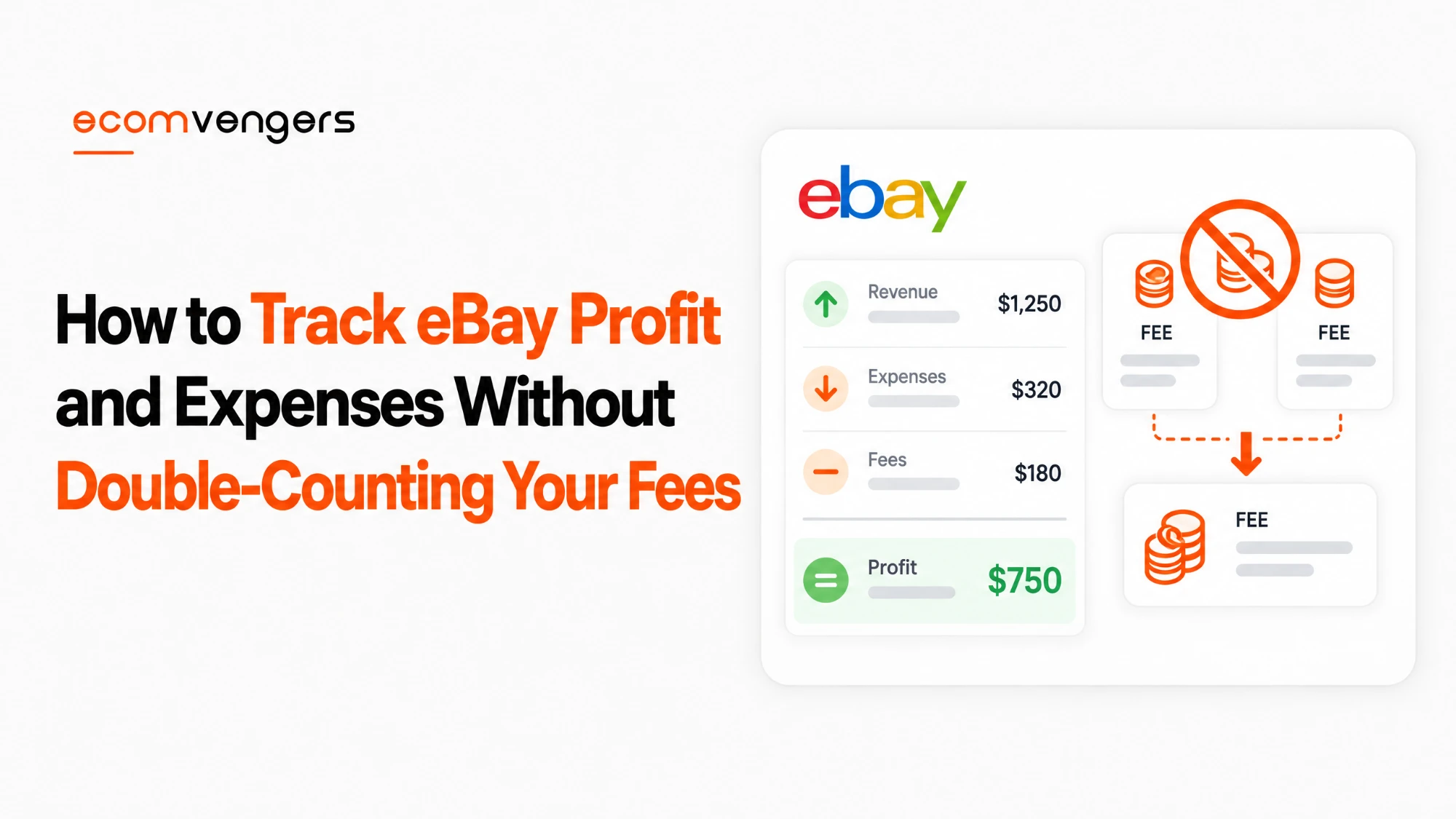
If you enter the payout as income and then subtract your fees from it, you have charged yourself the fees twice.
If you enter the payout as income and subtract nothing, your revenue line is understated and your margin looks better than it is.
Neither error announces itself. Both produce a plausible number, which is precisely why they survive for years.
The correct shape records the gross sale as revenue, then each fee as its own expense, and treats the payout as a transfer, not as income.
You can get both halves from one place. Selecting a payout ID opens a breakdown showing the status, amount and fees for every transaction inside it, with a link to the order.
If you want to model what a given sale should cost before it happens, our eBay profit calculator runs the category rates, and our guide to how eBay seller fees are calculated explains which band you land in.
The eBay Expenses That Are Already in Your Ledger
Four categories of cost already appear as transactions, so you should pull them rather than retype them.
This is the part that saves the most time, and few sellers use it.
Shipping labels bought through eBay land in All transactions. Your postage cost is therefore recorded per order, not as a monthly lump you have to apportion.
Refunds appear as their own movements, so a month with heavy returns shows its true shape instead of an inflated revenue line.
Claims and disputes sit there as well, which matters because a dispute carries its own fee on top of the refunded amount.
Transfers in or out from your on file payment method are listed too, so a negative balance you topped up does not vanish from the record.
Fees themselves attach to the transaction instead of arriving as a separate invoice, which is why the per transaction breakdown is the true view of a sale.
One nuance on refunds. When you refund a buyer or cancel a sale you may be eligible for fee credits, so the cost of a return is rarely the full fee you originally paid.
Disputes are the expensive exception, and we have set out how they work in our guide to eBay payment disputes.
Note: if you buy postage outside eBay, you break this. The label cost stops appearing in the ledger and you take on the apportioning work by hand, per order, forever.
What the Six eBay Transaction Statuses Mean for Your Numbers
Only money marked Completed or Released belongs in a profit figure, and the other four statuses describe money that has not finished moving.
Counting them all as income is how a good month turns into a correction later.
eBay lists six statuses. Available, Processing, On hold, Completed, Open and Released.
Available means the amount you will be paid in your next payout, and eBay warns it can change if further orders or refunds process first.
Processing means the buyer has paid and the funds are still clearing. The order is confirmed, so you can send the item.
On hold means the money exists but is not payable yet, and eBay shows an estimated release date where it can.
Open means the funds are in dispute and may move to On hold.
Treat On hold as timing, not loss. It is the status that panics sellers most and costs them least, and we have written about the mechanics in our guide to eBay payout holds.
Key point: a month that ends with a large On hold balance has not lost that money. It has moved it into next month, which is a cash flow fact, not a profit one.
The Three Costs eBay Cannot Track For You
eBay never sees what your stock cost, what your packaging cost, or what you pay for anything off the platform.
Those three decide whether the business works, which makes them the only part that deserves a system.
Cost of goods, recorded at purchase
Record what you paid at the moment you buy, against the item, before it becomes a listing.
Reconstructing it later from a bank statement is possible and miserable, especially for mixed lots where one payment covers thirty items.
Use the custom label or SKU field as the join between your purchase record and the eBay ledger. It is the only field that travels with the listing and comes back on the reports.
Packaging, which hides in plain sight
Boxes, tape, filler and labels rarely get counted because each one is trivial.
Divide a bulk purchase by the number of parcels it will cover and carry that figure as a per order cost. A rough number applied consistently beats an exact number applied never.
Subscriptions and tools paid elsewhere
Anything billed outside eBay stays invisible to the ledger, including listing software, storage, accounting tools and mileage.
A Store subscription is the exception, because eBay bills it and it therefore shows in your selling costs.
Note also that only business accounts may use third party tools and APIs, so the software line usually arrives with the account type. We compare the two in our guide to the eBay business and personal account types.
A Worked eBay Reconciliation, Start to Finish
The method reads better as a sequence, so here it is on one week of trading.
The figures below are an illustration, not data from any real account.
Start from the bank, not from eBay
Open your bank statement and find the eBay credit for the week. That is one number, and it is the only one you cannot argue with.
Now open the payout report and find the payout whose total matches it.
If the two agree, every fee for that period is already accounted for, because eBay deducted them before sending the money. That is the whole point of starting here.
If they disagree, the cause is almost always a withdrawal you requested separately, or a transfer in to cover a negative balance. Both appear in All transactions.
Open the payout and read what it is made of
Select the payout ID. You now have every transaction inside it, each with its own amount and fees.
Suppose it contains eleven sales, two refunds and nine shipping labels. That is twenty-two movements, and twenty-one of them need no work from you.
The two refunds deserve a glance. Check whether a fee credit came back with each, because that changes what the return cost you.
The nine labels against eleven sales is also a signal. Two orders went out on postage you bought elsewhere, so two label costs are missing from the ledger and you will have to add them by hand.
Add the two numbers eBay never had
Take the eleven sold items and look up what each one cost you. This is where the custom label or SKU earns its keep.
Add your per order packaging figure, multiplied by eleven.
Subtract both from the payout total. What remains is the week, and it is the first figure in the whole exercise that deserves the word profit.
Notice what you never did. You did not add up fees, you did not chase postage receipts, and you did not reconcile individual orders against individual bank lines.
On a steady week this takes about ten minutes. On a week with a dispute it takes fifteen, because a dispute carries its own fee and sits in the ledger as a separate movement.
Key point: a mismatch between your label count and your sale count is the fastest way to spot postage bought outside eBay. Chase that gap before you chase the arithmetic.
How Often to Reconcile Your eBay Profit and Expenses
Reconcile on your payout schedule instead of the calendar month, because the payout is the unit eBay closes.
You choose that rhythm yourself. eBay offers daily, weekly, biweekly or monthly payouts, and on any schedule except daily you can withdraw available funds whenever you like.
Daily payouts make reconciliation noisy, with many small bank lines to match. Weekly tends to be the practical middle for most sellers.
Whichever you pick, match payout IDs to bank credits instead of trying to match individual orders. One payout is one bank line.
For the margin trend, not the arithmetic, the Performance tab reports selling costs as a percentage of sales, which is the fastest sanity check eBay gives you.
Watch that percentage, not the absolute fee total. Fees rising with sales is normal, and fees rising as a share of sales is a signal to chase.
A sudden move in that share often points at something other than pricing, which we cover in our guide to diagnosing an eBay sales drop.
Keep in mind: advertising costs behave like fees and scale with sales, so they belong in the same percentage view. Our guide to eBay Promoted Listings covers how to judge whether that spend is earning its place.
How eBay Balance Changes Payouts From 4 November 2026
From 4 November 2026, eBay is gradually introducing eBay balance to eligible US private sellers and sole proprietors selling on eBay.com. Spendable funds become eBay balance, and eBay says it will notify you when the change reaches your account.
The default changes with it. Payouts become on demand, so your earnings stay in the balance until you spend or withdraw them. You can still choose a monthly, biweekly, weekly or daily schedule instead.
The balance can also pay for eBay purchases, shipping labels and promoted listings. Only Available funds count, so Processing and On hold money cannot be spent.
That breaks the one payout, one bank line rule. Sales money can now leave eBay without ever reaching your bank, and a reconciliation built on bank credits will come up short.
Labels and ad fees paid from the balance are still selling costs, so record them as expenses. A jacket you buy for yourself from the same balance is not a selling cost at all. Record it the way your accountant records any money you take out of the business.
The simplest fix is to switch the balance back to an automatic weekly schedule. That restores one payout per bank line and keeps the routine in this guide intact.
Small sellers should know one more rule. If a balance sees no earning, spending or withdrawing for 330 days, eBay pays it out to your bank automatically.
What Changes Once You Sell at Volume
Past a few hundred listings the manual half stops scaling, and eBay offers two routes out of it.
Both depend on one habit, which is keeping a SKU on every listing.
The first route is scheduled reports, covered above. Set them to generate and the download step disappears from your week.
The second is eBay’s Merchant Integration Platform, which eBay suggests for sellers whose inventory is organised by SKU or custom label.
It takes a CSV or XML upload to list products, manage inventory and fulfil orders, and eBay says it can handle over 50,000 SKUs in under 30 minutes.
That figure matters less as a speed claim than as a signal of where the tooling expects you to be. Once your catalogue is SKU driven, cost of goods stops being a lookup and becomes a column.
One migration note if you are coming from the older tooling. Templates and reports created in the legacy File Exchange tool do not carry over to Seller Hub Reports, so budget for rebuilding them instead of exporting them.
Scaling the catalogue also scales the failure modes. More listings means more disputes and more returns in absolute terms, which is why the percentage view matters more than the totals as you grow.
FAQs About Tracking eBay Profit and Expenses
Does eBay show my profit anywhere?
No, because eBay never knows what your stock cost. It shows revenue, every fee, and selling costs as a percentage of sales, which is everything except the number only you hold.
Is my eBay payout the same as my revenue?
No. eBay defines available funds as completed transactions excluding applicable fees and other selling costs, so the payout is already net.
Which eBay report should I give my accountant?
Start with the tax invoice and the financial statement. Add the transaction report if they want line level detail.
Are eBay shipping labels counted as an expense automatically?
They appear in All transactions if you buy postage through eBay. Buy labels elsewhere and the cost leaves the ledger entirely.
How do I match an eBay payout to my bank statement?
Use the payout ID. Each payout has a unique one, and selecting it opens the per transaction breakdown with amounts and fees.
Do refunds reduce the fees I already paid?
You may be eligible for fee credits when you refund a buyer or cancel a sale, so a return usually costs less than the original fee. Check the credit against the transaction. Do not assume it.
Should I count funds that are on hold as income?
Not as profit for that period. Treat a hold as timing, and count the money when it reaches Completed or Released.
Can I automate the reports instead of downloading them?
Yes. eBay lets you schedule automated reports at a frequency you choose, which removes the step most sellers forget.
Do I need Seller Hub to see my transactions?
No. You can view transactions, change your payout schedule and download the monthly financial statement from Payments in My eBay, though Seller Hub is free and more complete.
How do I track cost of goods for a mixed lot?
Split the purchase price across the items at the time you buy, by your best estimate of relative value, and write it against each SKU. Any consistent method beats reconstructing it months later.
Why have my selling costs risen as a percentage of sales?
Common causes are a shift in category mix, more advertising, more disputes, or a seller level change that raised your fee rate. Check the level first because it is the fastest to rule out.
Does eBay report my earnings to the tax authority?
In the United States eBay issues a Form 1099-K once you reach the sales amounts set by the government. Keep your own records regardless, because the form reports gross activity, not profit.
What is the quickest monthly routine?
Download the payout report, match each payout ID to a bank line, add your cost of goods and packaging for the items sold, then read selling costs as a percentage of sales for the trend.
What if my payout does not match my bank credit?
Look for a withdrawal you requested separately, or a transfer in from your on file payment method. Both appear in All transactions and both break a naive payout to bank match. If you use eBay balance, check for labels, ads or purchases paid from the balance too.
Should I reconcile per order or per payout?
Per payout. One payout is one bank line, whereas orders do not map to bank credits at all and matching them individually creates work with no gain.
Does a Store subscription show up in my selling costs?
Yes, because eBay bills it. Tools billed anywhere else stay invisible to the ledger and have to be carried in your own records.
How do I handle a sale that spans two payouts?
It will not. A transaction sits inside exactly one payout, which is why reconciling on the payout instead of the calendar month removes the problem altogether.
Let eBay Keep the Ledger You Are Retyping
Tracking eBay profit and expenses goes wrong in two predictable places.
Sellers rebuild by hand the half eBay already records, and they leave out the half eBay cannot see.
Reverse both and the job takes minutes. Pull the reports for fees, labels, refunds and disputes, then add cost of goods and packaging yourself.
Work through it in this order.
- Open the Payments tab in Seller Hub and look past the Summary figure.
- Schedule the payout report and the transaction report to generate on your payout rhythm.
- Record the gross sale as revenue and each fee as its own expense. Never record the payout as income.
- Match payout IDs to bank credits, one payout to one line.
- Stop retyping shipping labels, refunds and disputes. They are already transactions.
- Write cost of goods against the SKU at the moment you buy the stock.
- Carry a per order packaging figure, even a rough one, applied consistently.
- Read selling costs as a percentage of sales each period, and chase the share, not the total.
If the percentage moves and your pricing has not, the cause is usually sitting in your category mix, your advertising or your seller level rather than in the spreadsheet.
Sources
- eBay’s page on using the Payments tab in Seller Hub, for the four sections, the definition of available funds as completed transactions excluding applicable fees and other selling costs, the six transaction statuses, the list of what appears in All transactions including shipping labels and transfers, the unique payout ID and its per transaction breakdown, the daily, weekly, biweekly and monthly payout schedules, and the four downloadable reports.
- Guidance on Seller Hub Reports, for scheduled automated reports and for business sellers being opted in automatically while private sellers need at least one sale.
- The Seller Hub help page, for it being free to use and for the Performance tab reporting selling costs as a percentage of sales.
- Fee mechanics, fee credits on refunds and cancellations, and the dispute fee come from eBay’s selling fees page.
- Form 1099-K and the tax designation options are set out in registering as a seller.
- Payout timing, on demand withdrawals and the eBay balance change from 4 November 2026 come from getting paid for items you have sold.
Zaman Khan is the eBay and TikTok Shop expert at EcomVengers. He covers the commercial side of selling: fees, pricing, profit tracking, shipping, listing tools and the account decisions that shape a store. He writes our guides on what eBay actually charges and how to run a catalogue efficiently.
View all posts by Zaman Khan