
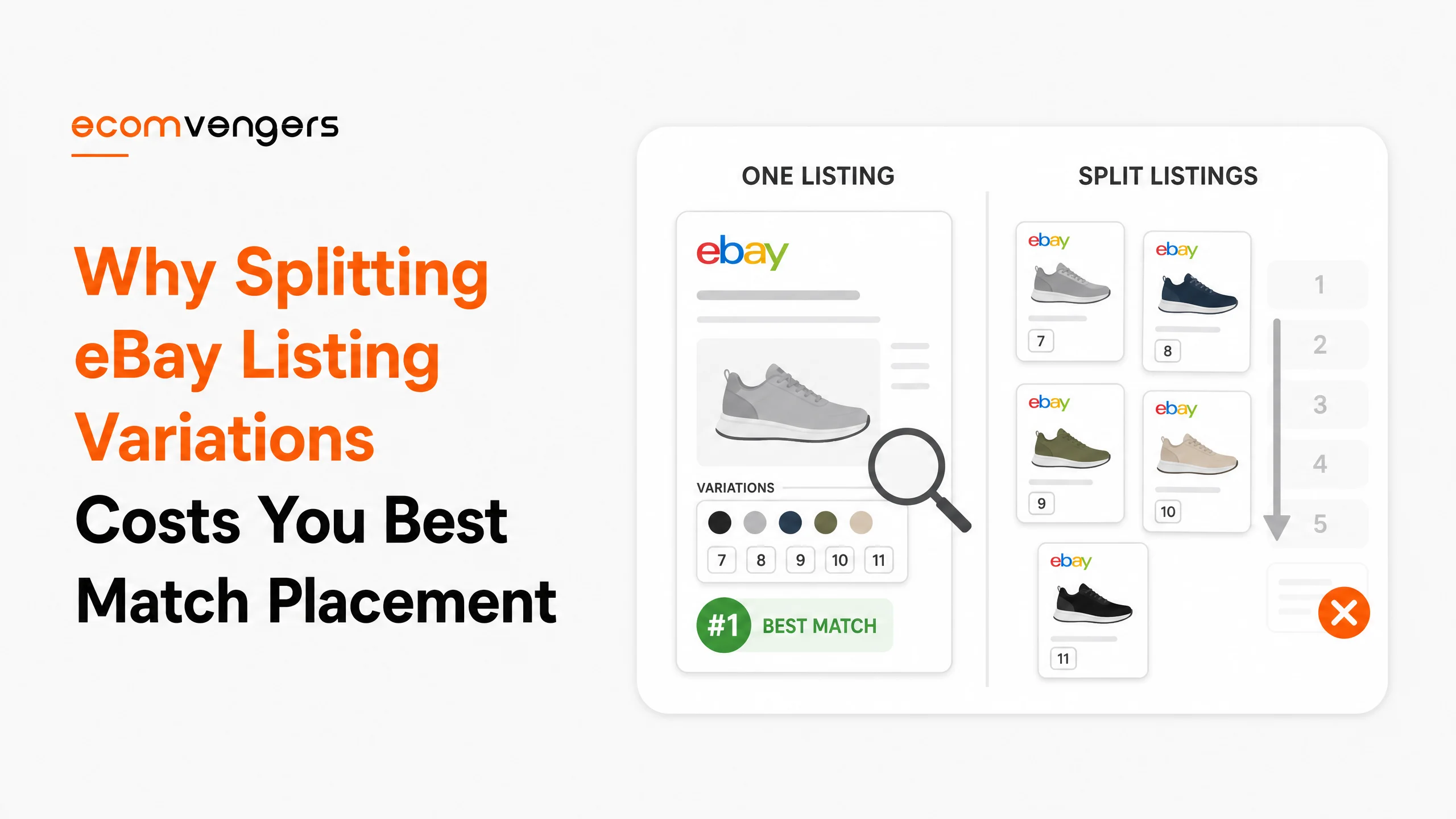
You sell one shirt in six colours.
So you have six listings, six sales histories, and six sets of photographs of the same shirt.
eBay’s own help page tells you not to do that. If you get more stock, it says, add it to the existing listing rather than creating a new one, because a listing’s sales history is one of the things that decides where it sits in search.
Six listings therefore means six thin histories competing for the same buyer. It is a bit like entering six horses in one race and backing all of them.
Merging split catalogues is regular work on our desk, usually booked by a seller who has just worked out that their best product is losing to itself.
Where the line sits, and the relist trap that quietly oversells your stock.
Key Takeaways
- eBay names consolidating stock into one listing as a way to reach a better position in Best Match, because sales history is one of the ranking factors.
- One listing carries up to five variation details, such as colour, size, width, material and style.
- Each of those details holds up to 50 values, and a listing can hold 250 variations in total at no extra fee.
- Every variation gets its own price, its own quantity and up to 24 photographs.
- However, offering a choice of different products in one listing is not allowed. Different models and mixed conditions are eBay’s own examples of the breach.
- The split between the two is whether you are selling one product in several forms, or several products.
- Variations are built from item specifics, so thin specifics limit what you can offer.
- Only some categories support variations, and eBay publishes a category look-up tool for checking yours.
- A second category can block variations entirely, so listings with variations usually belong in one.
- Relisting returns zero quantity variations at their original quantity, which is how sellers oversell without noticing.
- Overselling forces cancellations, and eBay warns directly that cancelling for stock affects your seller standing.
- The out of stock option hides a listing rather than ending it, which protects the history you built.
What eBay Listing Variations Actually Are
One fixed price listing holding every version of the same product.
eBay describes it plainly. Where you have many similar items that differ by something like colour or size, you can create a single fixed price listing that includes all the variations you offer.
The buyer sees one page with dropdowns. You keep one listing with one set of statistics behind it.
That is different from a multi quantity listing, which holds several identical items rather than several versions. Both are fixed price, both consolidate, and eBay recommends each for its own case.
Sellers usually arrive at variations from the wrong direction. They start with a listing per colour because that is how the stock arrived, then wonder why none of the six ever gains traction.
Why eBay Tells You Not to Split Listings
Because the sales history belongs to the listing, not to you.
eBay states it in two places, which is unusually direct. The search manipulation policy lists consolidating identical items and using variations among the rules that help achieve the best possible position in Best Match. Meanwhile the help page on variations says that if you get more stock you should add it to the existing listing rather than creating a new one.
Read those together and the instruction is not subtle. Consolidation is a ranking decision rather than a tidiness one.
Key point: eBay says to add new stock to the existing listing rather than creating a new one. The reason it gives is sales history, which is a Best Match factor.
Splitting does the opposite of what sellers expect. Six listings feel like six chances to appear, yet each carries a sixth of the evidence that would have made any of them rank, and they crowd each other in the same results page.
The effect compounds over time. A consolidated listing that has sold steadily for a year is genuinely hard for a competitor to displace, while six thin ones are replaceable by anybody with a fuller record.
None of this makes variations a ranking trick. It is one of the seven factors eBay names, feeding the one about your track record on that item.
What One eBay Variation Listing Can Hold
More than most sellers use, and the ceilings are published.
Five variation details per listing. Up to 50 values inside each one. A total of 250 variations in a single listing, and eBay charges nothing extra for them.
eBay uses shoes as its own worked example. The five details are colour, size, width, material and style, and each could carry 50 values.
Two details matter more than the ceilings. Every variation gets its own price and its own quantity, so a large size costing you more can simply cost the buyer more.
Photographs are the second. You get up to 24 for each variation, not 24 for the listing, which means the buyer who picks navy actually sees navy.
Describe what is shared, then what differs
eBay sets the order out directly. Describe the features that are standard across all the items first, then specify the variations and the options inside each.
Sellers who ignore that end up repeating the fabric composition in twelve places. Worse, they contradict themselves in one of the twelve, and the buyer finds it.
Where an eBay Variation Becomes a Second Product
The moment you are offering a choice rather than a version.
eBay bans it in one line. Offering a choice of different products in a single listing is not allowed, and the policy gives two examples of what that means.
First, different brands or models together, such as an iPhone 6 and an iPhone 7. Second, one listing offering items in different conditions, such as new alongside used.
So the test is not whether the items look similar. It is whether a buyer arriving from a search would consider them the same product in a different form.
Colour and size pass that test easily. Condition never does, because a used one is not a version of a new one, it is a different thing at a different price with different expectations attached.
Where genuine differences still need flagging
Even inside a legitimate variation listing, eBay asks you to make the differences obvious.
eBay asks you to highlight significant differences between items in the title, the pictures, the price, the condition and the item specifics, so buyers can easily tell them apart.
That is a returns instruction dressed as a search one. A buyer who thought they were getting the 2 metre cable and received the 1 metre version opens a case, and cases are expensive in ways a listing edit never is.
Which Categories Allow eBay Listing Variations
Most, but not all, and eBay gives you a tool rather than a promise.
eBay says most categories support variations. It then names a set where they work. Baby clothing, shoes and accessories, crafts, health and beauty, most of home and garden, jewellery and watches, pet supplies, and sporting goods.
For anything outside that list it points you at its category look up tool. Check yours there before you plan a merge, because discovering the limit halfway through is a wasted afternoon.
The second category that quietly blocks variations
This one catches people out, and it is worth knowing before you reach for extra exposure.
Listing in two categories widens your reach, and eBay charges an insertion fee for the privilege. Variations, though, depend on variation details and item specifics that a second category may not carry.
So eBay puts it plainly. Pick a second category that does not allow variations, and you cannot create a variation listing at all. Its own advice is to consider listing in only one.
Parts sellers get an extra rule here. Where you sell in parts and accessories, your compatibility information has to apply to every variation in the listing.
Why eBay Variations Are Built From Item Specifics
The dropdowns are not decoration. They are structured fields.
A variation detail is an item specific that you have given several values. Colour is an item specific on a normal listing, and on a variation listing it becomes the thing the buyer chooses from.
That has a practical consequence. Where your specifics are thin, your variations are thin too, because there is nothing structured to vary.
It also means the filters keep working. A buyer narrowing to red and size 10 still finds the listing, which is the whole argument in why empty eBay item specifics delete you from filtered search.
Fix the specifics first, then merge. Doing it the other way round means rebuilding the same listing twice.
The eBay Relist Trap That Oversells Your Stock
Here is the one that costs money, and it hides inside a routine action.
eBay states it in a tip most sellers scroll past. When you relist, any variations sitting at zero quantity come back at their original quantity.
Picture what that does. You sold out of navy in size 10 months ago, you relist the listing in November, and navy size 10 is suddenly showing eleven in stock again.
Then somebody buys one, and you cannot ship it.
eBay is blunt about where that leads. Buyers do not want you cancelling their order because the item is out of stock. Doing so, it says, can affect your seller standing. An out of stock cancellation is the exact defect covered in the eBay order cancellation reason that costs you a defect.
eBay’s own instruction is to review and update your quantities after any relist. Better still, use Good Til Cancelled so the question never arises.
Worth knowing: the relist trap is silent. Nothing warns you that a sold out variation came back stocked. Check the quantities yourself, before a buyer finds the gap.
Use the out of stock option instead of running dry
A listing that sells out ends, and everything it had built ends with it.
The out of stock option hides the listing from search until you refill it, rather than closing it down. For an item you restock regularly, that is the difference between keeping a year of sales history and starting again at zero.
That history is the whole reason you consolidated. Throwing it away over a fortnight of empty shelves is an odd way to finish.
How to Create an eBay Variation Listing From Scratch
Merging existing listings is one job. Starting from nothing is another, and eBay sets out the order it wants.
You build one through the advanced listing tool or through Seller Hub. Most categories allow it.
The sequence runs like this.
- Describe the features that are standard across every item in the listing.
- Specify your variation details, and the options under each one.
- Review the grid against real stock, and delete any variation you cannot fill.
- Add pictures, up to 24 for each variation.
- Add the quantity and the price, which can differ for every variation.
Note the order. What is shared goes in before what differs, because the shared half sets the frame every variation then sits inside.
Key point: check the grid against real stock before you publish. eBay tells you to delete the variations you cannot fill, and a variation you cannot ship is a cancellation waiting to happen.
How to Merge Existing eBay Listings Into Variations
Keep the winner. Fold the others into it.
Merging is not a bulk button. You are choosing which listing survives, and every sale attached to the others stays where it is.
Pick the listing with the strongest record
Sort your six by sales, not by which colour you like. The best performer becomes the parent.
Its history is the asset you are protecting. Everything else is inventory you are moving across.
Rebuild the title around what is shared
A merged listing cannot say navy in the title, because it is no longer only navy.
So the colour comes out and something shared goes in. Material, fit, a model number, whichever attribute buyers actually type. There is more on that in the line where eBay listing titles turn into keyword spam.
End the others rather than letting them run
Leaving the old listings live defeats the exercise. They still compete with the parent, and now they compete with a stronger version of themselves.
End them once the merged listing is live and correct. Check the quantities on every variation before you do, because that is where the relist trap waits.
Merge in batches and watch what happens
Do one product family, then wait a fortnight and read the impressions before you touch the next.
Two reasons sit behind that. A staged rollout shows you whether the merge helped. It also limits the damage if a category turns out to handle variations badly.
Why Multi Quantity Listings Are a Separate Decision
Identical items and different versions are not the same problem.
A multi quantity listing holds several of exactly the same thing. You pick fixed price, enter a quantity, and eBay counts them down as they sell.
A variation listing holds versions that differ. Both consolidate, and eBay recommends each for its own situation in the same breath.
Sellers who only stock one variant sometimes reach for variations anyway, then wonder why the dropdown has a single option in it. Quantity was the answer, not structure.
Whether buyers see your stock level is your choice
This setting exists and almost nobody touches it.
eBay always shows you exactly how many items remain. Whether buyers see that exact number is a preference you control, sitting under multi quantity listings in your selling preferences.
There is a real trade off. A visible count of two creates urgency, while a visible count of ninety tells a buyer nothing is scarce and nothing is special.
Neither setting is correct everywhere. Just make it a decision rather than a default you never saw.
How to Tell Whether Your eBay Variations Are Working
Read the listing as a whole, then read the variations separately.
Impressions belong to the listing. Sales belong to the variations. Confusing the two is how sellers reach the wrong conclusion about a merge.
Impressions answer whether the merge helped
Compare the merged listing against the combined impressions of the six it replaced.
A rise means the consolidated history is doing its job. Flat is normal for the first few weeks, because the record you concentrated still has to accumulate.
A fall usually points at the title rather than the structure. Something searchable came out when the colour did, and nothing replaced it.
Dead variations are worth pruning
Some options never sell. A colour nobody wants sits in the dropdown taking up attention and stock money.
eBay lets you delete variations where you have no inventory, and it asks you to check that the inventory matches the quantities before you publish. Use that as a quarterly tidy rather than a one off.
Pruning also shortens the dropdown, and a shorter dropdown is a faster decision for the buyer. Twelve options can help. Forty rarely does.
Watch the cancellation rate after any merge
This is the number that tells you whether your quantities are honest.
A merged listing concentrates your stock risk in one place. Get a quantity wrong and the cancellations arrive quickly, which is why the relist check matters more after consolidation than before it. Your headroom on that metric is worth knowing, and the eBay seller level calculator gives you the number.
What a merge looks like a quarter later
Three months is the point where the argument settles.
By then the merged listing has accumulated the sales that used to sit in six places. It has one photograph set, one description, and one set of item specifics to maintain.
That maintenance saving is the part sellers underrate. Editing one listing when a supplier changes a fabric beats editing six and missing one.
Missing one is not a small thing either. A stale variant is where the description contradicts the item, and contradictions come back as not as described cases.
So the merge pays twice. Once in placement, and again in the work you no longer repeat six times.
What eBay Listing Variations Cannot Fix
Consolidation concentrates a record. It does not improve one.
Six listings that never sold, merged into one, produce one listing that has never sold. The structure is better and the evidence is the same.
Variations also cannot rescue an account that has slipped. Best Match weighs your track record as a seller, so a demoted account carries that weight into every listing however neatly it is arranged. The route out is in getting off eBay Below Standard.
One more limit is worth naming. A merged listing puts every variant behind one dropdown, which suits a buyer who knows what they want. Where two versions genuinely serve different buyers, separate listings can still be the honest answer.
There is a quieter cost to splitting that nobody bills you for. Six listings need six sets of photographs, and photography is the slowest job in the whole listing process.
Merged, you shoot the shared angles once and add the colour shots per variation. The standards for those shots are the same either way, and they sit in why eBay listing photos with text vanish from external search.
Frequently Asked Questions
How many variations can one eBay listing have?
Up to 250, at no extra fee. They come from five variation details, each holding as many as 50 values.
Can eBay variations have different prices?
Yes, and different quantities too. Each variation carries its own price and stock level, so a costlier size can charge more without leaving the listing.
Can I sell new and used items in one eBay listing?
No. eBay names mixed conditions as an example of offering a choice of different products, which its search manipulation policy does not allow.
Do eBay variations get their own photos?
Yes. Each variation takes up to 24, so the buyer choosing a colour sees that colour rather than a stand in.
Does merging listings lose my sales history?
The history stays with the listing that carries it. That is why you merge into your strongest performer rather than building a fresh listing and ending all six.
Where can I get help merging a split catalogue?
Start with your own sales report and the category look up tool. Where the catalogue is large enough that the sorting is the hard part, our eBay SEO services team does the merge and the title rebuild together.
Which categories allow eBay listing variations?
eBay names baby clothing, shoes and accessories, crafts, health and beauty, most of home and garden, jewellery and watches, pet supplies and sporting goods. For anything else it points you at its category look up tool.
Can I add a second category to a variation listing?
Only where that second category supports variations. Where it does not, eBay says you cannot create a listing with variations at all, and it advises using one category.
What happens to sold out variations when I relist?
They come back at their original quantity. eBay states this directly, and it is how sellers oversell without noticing, so check every quantity after a relist.
Should I use a multi quantity listing or variations?
Multi quantity holds several identical items. Variations hold versions that differ, such as colour or size. eBay recommends each for its own case.
Can I sell two different brands in one listing?
No. Offering a choice of different products in a single listing is not allowed, and eBay names different models as an example of exactly that.
What does the out of stock option do?
It hides your listing from search until you restock, rather than ending it. That protects the sales history you consolidated the listing to build.
One Product, One Listing, One Record
Six listings feel like six chances. They are one chance, divided.
Four steps, in this order, if you are merging a split catalogue this month.
First, check your category actually supports variations, using eBay’s look up tool rather than an assumption. Discovering the limit halfway through is the most annoying way to lose an afternoon.
Second, fill the item specifics before you merge anything. Variations are built from those fields, so a thin specifics set gives you a thin dropdown and a second rebuild later.
Third, pick the parent by sales rather than by preference, then rewrite its title around what every version shares. The colour has to come out, and something searchable has to go in behind it.
Fourth, audit every quantity before you publish and again after any relist. That single check is what stands between a merged listing and a run of out of stock cancellations.
Worth holding on to while you work: consolidation is a structural fix rather than a performance one. It concentrates the evidence you already earned, and manufactures none of its own. A product nobody wanted in six listings is still a product nobody wants in one.
Then stop before the line. A colour is a variation. A different phone is a different listing, and eBay is the one who decides which is which.
Sources
- eBay, Multi quantity listings and listings with variations, on the five detail and 250 variation ceilings, the 24 photographs per variation, the instruction to add stock to an existing listing, the relist quantity behaviour and the out of stock option.
- The search manipulation policy, on consolidating listings for Best Match position, the ban on offering a choice of different products, and the requirement to highlight significant differences.
- Guidance on adding a category to your listing, on which categories support variations, the second category insertion fee, and the conflict between a second category and variations.
- Our own examples come from client catalogues we have merged, and the wider guides sit in the EcomVengers blog.
One thing to line up for afterwards. A merge changes what each listing earns, because the parent now carries stock at several price points rather than one. Before you reprice anything, the eBay fee and profit calculator will tell you what each variation is actually leaving you.
Where the sorting is the hard part, and on a catalogue past a few hundred listings it usually is, that merge is the work we do. Send us a category and we will tell you whether it supports variations at all.

Ali Khan is the founder of EcomVengers, the eBay growth and account recovery agency. He has spent the better part of a decade pulling suspended sellers back from MC011 and MC999 notices, repairing wrecked defect rates, and turning buried listings into ranked ones. When eBay's villains show up, he is the one sellers call. You handle the millions, he handles the villains.
View all posts by Ali Khan