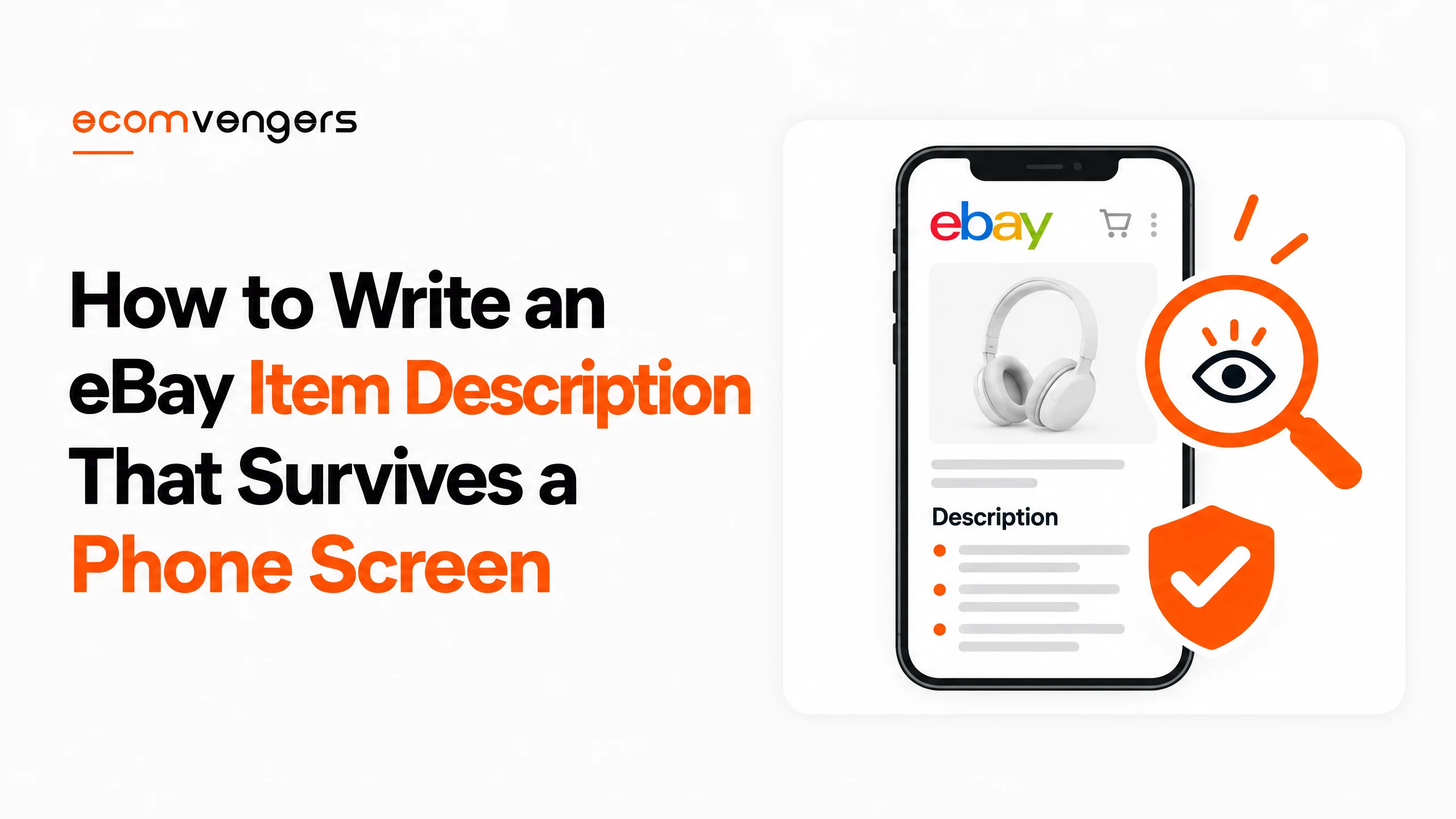
On a phone, eBay shows a buyer no more than 800 characters of your description.
That is roughly 130 words.
And eBay’s own developer documentation adds that those 800 characters are not necessarily the first 800.
So the paragraph you laboured over may be the one that never appears.
Meanwhile, the line about postage you added as an afterthought takes centre stage.
A description written only for desktop is a shop window you can see only from across the road.
This guide fixes the order, the content and the rules. If you would rather hand the work over, descriptions are part of the listing work in our eBay SEO service.
Five blocks. Six policies. One phone screen that decides which of them a buyer actually reads.
Key Takeaways
- Mobile shows 800 characters at most. eBay says they are not necessarily the first 800, so order matters.
- Lead with what it is and its condition. Brand, model and condition belong in the opening lines.
- Say what is in the box. eBay names what’s included as a core part of a clear description.
- Condition must match everywhere. eBay’s policy requires the same condition across the title, description and item specifics.
- Every word must relate to the item. Content can cover the item or your terms, and nothing else.
- Links are mostly banned. Only other eBay pages, product videos, approved freight services and legally required information are allowed.
- A link breaks the rule even when it is not clickable. Typing out your web address counts.
- Active content is gone. JavaScript, Flash, plug-ins and forms trigger a “Disallowed JavaScript/HTML Syntax” error.
- No comparisons, no question marks. The search manipulation policy rules out both, along with unrelated keywords.
- Write your own words. eBay’s images, videos and text policy says copying from other websites may infringe copyright.
- Warranties over $15 need details. On eBay.com, the description must carry the warranty text or explain how to get a free copy.
- A bad description can cost the account. Each of these policies lists account suspension among eBay’s possible actions.
What Makes the Best eBay Description?
The best eBay description tells a buyer exactly what they will receive, in the order they need it, in words that fit on a phone.
eBay’s own definition is short. Its guide to creating a listing asks for a clear, accurate description that covers key selling points and what’s included, with correct spelling and grammar.
Its Seller Center listing guide adds the brand name, style and model numbers, along with any unique qualities.
That is the whole brief, and the best eBay descriptions stick to it. Everything else is about doing it in the right order, and staying inside the rules while you do.
The stakes are not only sales. The same Seller Center page notes that describing your item accurately can reduce the chance of a return.
In other words, a good eBay description earns its keep twice. First when it sells the item, then when the item arrives and matches it.
Where the eBay Item Description Sits Among the Other Listing Fields
The eBay item description is the only part of a listing with room to explain. The other fields each do a narrower job, and the description should not try to do theirs.
That division matters whenever you write an eBay listing.
Sellers who pour everything into the description often leave the structured fields half empty, and those fields are what buyers filter on.
| Listing field | What it does | Rule worth knowing | Our guide |
|---|---|---|---|
| Title | Gets the listing found | 80 characters, item words only | Listing titles |
| Item specifics | Feeds search filters | Required ones must be complete and accurate | Item specifics |
| Condition | Sets buyer expectations | Must match the description and title | Item condition |
| Condition description | Explains wear on used items | Ignored on new conditions | Item condition |
| Photos and video | Show what words cannot | Your own, or eBay catalogue content | Listing photos |
| Item description | Explains and reassures | Only content about the item or your terms | This page |
Item specifics deserve a particular warning.
Writing “red” in the description does not put you in the red filter, which is the argument our guide to eBay item specifics makes at length.
The condition description is a separate box again.
eBay’s Trading API reference says it applies to used items and is simply ignored on new conditions.
So the condition description eBay asks for on a used item is a short note about wear. The full story still belongs in the main description.
How to Write an eBay Item Description, Step by Step
Write an eBay item description in five blocks, most important first, then read it back on a phone. The order does more work than the prose when you write a description for eBay.
Step 1: Open the eBay Description With What It Is and Its Condition
The opening lines of an eBay item description should name the item and its condition in plain words. That is what a buyer checks first, and it is what a phone is most likely to show.
Use the same brand and model wording as the title. Then state the condition in the words eBay uses, so the description and the condition field agree.
That agreement is not optional.
eBay’s item description policy says the condition must match the item and be consistent across the title, description and item specifics.
For example, “Used, fully working, light scratches on the lid” is a better opening than three sentences about how much you loved owning it.
Step 2: List What Is in the Box, and What Is Not
List every part, accessory, cable and manual the buyer will receive. Then list anything a buyer might expect that is missing.
eBay names what’s included as a core part of a clear description. The missing items matter just as much, because “no charger” in the listing is a fact, while “no charger” in a message after delivery is a return.
For a bundle or job lot, write the description item by item. A short list beats a paragraph, since buyers will check it against the box.
Step 3: Give the Numbers a Buyer Would Otherwise Ask For
Add the measurements, model numbers and compatibility details a buyer would otherwise message you about. Each unanswered question is a sale that waits.
eBay’s Seller Center asks for model numbers explicitly. Measurements matter most where sizes vary between brands, such as clothing, furniture and parts.
Compatibility has a rule of its own.
The search manipulation policy says “fits”, “for” or “compatible with” must come before the name of the compatible item.
So a third-party charger is a “charger for Dell laptops”, never a “Dell laptop charger”. The second version claims a brand the item does not carry.
Step 4: Describe Every Flaw Where the Photos Show It
Describe each flaw by where it is and how big it is, and make sure a photo shows it. A buyer who sees the flaw before buying has accepted it.
“Scratch on the back panel, about 2cm, see photo 5” does more than “some signs of use”. The second phrase covers everything, which means it reassures nobody.
Our guide to eBay listing photos covers how to shoot the flaw. Our eBay condition description guide covers which grade to choose before you describe it.
Step 5: State the Terms That Belong in an eBay Description
Finish the eBay item description with terms that apply to this item, such as a warranty. eBay’s item description policy allows content about the item or the seller’s terms and conditions, and nothing else.
Warranties carry a specific duty on eBay.com.
The warranty policy says items valued over $15 that include a warranty or service contract must include its full text, or explain how to get a free copy on written request.
Returns live in your return policy, not in a paragraph of warnings. Our guide to what an eBay return policy does not cover explains what a return policy can and cannot exclude.
Key point: a description is a record, not a pitch. Whatever it says is what the buyer is entitled to expect, so write the sentence you would be happy to see quoted back to you in a return request.
An Example eBay Item Description, Before and After
Here is one eBay item description written twice, for a pair of used headphones. The first version is the kind eBay flags; the second follows the five blocks.
The before version reads like this:
Great headphones!! Barely used, works perfect, like Bose but better. Original box? Check out my other stuff at mystore.com. No returns.
It is short, friendly and wrong in four places. “Like Bose” is a comparison with another product, “Original box?” is a keyword with a question mark, and the web address breaks the links policy without being a link.
The fourth problem is quieter. It never says what is in the box, so the buyer has to guess, and a guess is how returns start.
The Same eBay Description, Rewritten in Five Blocks
The after version uses the same facts in five short blocks:
- Sony WH-1000XM4 wireless noise-cancelling headphones in black. Used, fully working, light wear on the headband.
- Included: the headphones, carry case, USB-C charging cable and 3.5mm audio cable. Not included: the original box.
- Model number WH-1000XM4. Charged and tested with a phone over Bluetooth before listing.
- Two light scuffs on the outer headband, about 1cm each, shown in photos 4 and 5. Ear pads are clean, with no tears.
- No warranty is offered. Returns are accepted under the return policy shown in this listing.
That whole description runs to about 520 characters, so it fits inside the 800 that a phone can show. Nothing in it needs a buyer to message you first.
Notice what it leaves out. There is no praise, no comparison and no promise the photos cannot back up, and it reads less like an advert than a delivery note.
Key point: the after version is not longer because it is padded. It is longer because every line answers a question the before version left for the buyer to ask.
What Does an eBay Description Look Like on a Phone?
On a phone, an eBay description can show no more than 800 characters, and eBay does not promise which 800.
eBay’s guide to mobile device optimization explains the problem directly. A longer description may be cut off abruptly, or show misleading or incomplete details.
It also warns that the characters shown are not necessarily the first 800. That is why the five-block order matters: the opening lines carry the facts that cannot be lost.
Sellers who list through the API or a listing tool can control the mobile snippet. eBay supports a marked-up summary of up to 800 characters, which then becomes the description eBay shows on mobile.
That feature only works on some sites.
eBay lists the US, UK, Australia, France, Germany, Italy, Spain and eBay Motors.
Inside that summary, the formatting is tightly limited.
Lists, non-breaking spaces and line breaks are allowed, and each line break counts as 50 characters, which makes it the most expensive keystroke on the site.
Templates need care too.
eBay’s HTML formatting guidance says descriptions should use relative widths and heights, and images should not exceed 700 pixels wide.
Pro tip: before you publish, count the characters in your first block. If brand, model, condition and contents fit inside about 800 characters, a phone buyer gets the facts that matter whichever part eBay chooses to show.
What eBay Does Not Allow in an Item Description
eBay does not allow off-site links, active content, unrelated keywords, comparisons with other products or copied text in an eBay item description. Each of these sits in a separate policy, which is why sellers miss them.
Links in an eBay Description
Most links are banned.
The links policy says listings can’t contain links that send buyers to another site, even if the link is not clickable.
That last clause catches a lot of people.
Typing your web address as plain text counts as a link, so “find us at” plus a domain breaks the policy without a single hyperlink.
Inviting buyers to your own website from an eBay listing is rather like a waiter recommending the restaurant across the street. eBay notices, and it does not find it charming.
Video links have their own list.
The policy says videos must be embedded in the description, specific to the listing, and hosted on approved sites such as YouTube and Vimeo.
Our guide to eBay listing videos covers what those videos should show.
Active Content and HTML in an eBay Description
HTML formatting is fine, but active content is not.
eBay’s JavaScript policy says JavaScript, Flash, plug-ins and form actions are no longer displayed in listings.
Its examples are the decorations old templates loved.
Scrolling item pickers, embedded feedback, social sharing icons and currency converters all count.
Try to list with them and you get an error reading “Disallowed JavaScript/HTML Syntax”. The listing will not go live until the code is removed.
If you inherited an old template, run it through eBay’s active content checker, which the policy links to. Plain HTML and CSS can still do most of what the old scripts did.
Keywords, Comparisons and Question Marks in an eBay Description
Every word must describe the item for sale.
The search manipulation policy says keywords not directly related to the item are not allowed, and all the words in the listing must be accurate.
Two more rules are less known.
Listings that make comparisons with other products are not allowed, and keywords with question marks are banned as misleading.
The question mark rule is sensible once you read eBay’s reasoning. If a detail is unclear or unknown, the policy says it should be left out of the listing rather than hedged.
Symbols get similar treatment. The item description policy bans subscript, superscript and special characters, and asks for words instead, such as “Copyright” in place of the symbol.
Language is covered too. Descriptions, including pictures and video, must be in the primary language of the eBay site where the item is listed.
Copied Text in an eBay Description
Write every eBay item description in your own words. eBay’s images, videos and text policy says sellers should write their own descriptions, and that copying content from other websites may be considered copyright infringement.
There is one sanctioned shortcut.
You may use product details from the eBay catalogue, which any seller can draw on.
Otherwise, using someone else’s text needs their explicit written permission. Without it, the owner can have the listing removed through VeRO, which our guide to eBay VeRO listing removals walks through.
Our guide on who can use your eBay listing photos covers the same policy from the other side, when another seller copies yours.
Worth knowing: every policy on this page ends the same way. eBay may remove the listing, issue a warning, restrict activity or suspend the account. A pasted web address in an old template is a small thing until it sits in three hundred listings at once.
Should You Use eBay’s AI Description Tool?
eBay’s AI tool gives you a sensible first draft of an eBay item description, not a finished one. You remain responsible for every word it writes.
eBay’s Seller Center describes the tool as suggesting a description at the touch of a button. It also says you can customise the result to add detail, adjust for accuracy or fit your own voice.
That second sentence is the important one.
A suggested description cannot know about the scratch on the back, or which cable you lost.
Treat it as a confident new assistant who has never held the item. Keep the structure, then check every claim against the thing on your desk.
Catalogue listings work differently again. eBay’s Trading API reference says that when a product identifier matches the eBay catalogue, the item description can be created automatically.
Even then, a used item still needs its own words about condition and contents. The catalogue knows the product, while only you know this particular one.
Is an eBay Seller Description the Same as an Item Description?
No. An eBay seller description usually means the text on your profile, which describes you, while an item description describes one listing.
eBay’s profile policy explains where to edit it. Go to My eBay, select your username, then Edit profile to change the profile description.
The profile allows your interests, the items you sell and your feedback. However, it does not allow contact information, promotion of sales outside eBay, or links off eBay.
Unless the profile policy says otherwise, your profile must also follow all the listing policies above. So the links rule applies there too.
Why a Weak eBay Description Costs More Than One Sale
A weak eBay description costs returns, policy strikes and, at the far end, the account. The sale it loses is the smallest part of the bill.
Returns come first.
eBay itself links accurate descriptions to fewer returns, and every vague phrase is a gap a disappointed buyer can walk through.
Policy comes next.
The item description policy says inaccurate descriptions can mislead buyers, and it lists account suspension among eBay’s possible actions.
Search comes last but lasts longest.
eBay’s Seller Center says the more information you include, the more likely your item is to show up in relevant searches, which is the same principle behind eBay Best Match.
Put together, a description is cheap to fix and expensive to neglect. Our eBay listing optimisation tips cover the rest of the listing once this field is sound.
Do the arithmetic once: take one description and count three things. How many characters sit before the condition is stated, how many questions a buyer would still need to ask, and how many words describe anything other than the item. Each should be close to zero.
Frequently Asked Questions
How long should an eBay description be?
Long enough to answer every question a buyer would ask, with the key facts inside the first 800 characters. eBay shows no more than 800 characters on a phone.
What should I write in an eBay item description?
Start with what the item is and its condition. Then add what is included, the measurements and model numbers, every flaw, and any warranty terms.
Can I copy the manufacturer’s description on eBay?
Not without explicit written permission. eBay says copying content from other websites may be considered copyright infringement, although eBay catalogue details are allowed.
Can I put links in my eBay description?
Only to other eBay pages, product videos, eBay-approved freight services and legally required information. Every allowed link must use HTTPS.
Can I use HTML in an eBay description?
Yes, for formatting. JavaScript, Flash, plug-ins and forms are not displayed, and listing with them triggers a “Disallowed JavaScript/HTML Syntax” error.
Why does my eBay description look different on mobile?
Mobile shows at most 800 characters, and eBay says they may not be the first 800. Put the essential facts at the top so any cut still makes sense.
What is the eBay condition description?
It is a short separate field for describing wear on used items. eBay ignores it on new conditions, so the main description still carries the detail.
Do keywords in an eBay description help search?
Accurate detail helps, according to eBay’s Seller Center. Unrelated keywords break the search manipulation policy, so every word must describe the item.
Can I write my eBay description in another language?
No. Descriptions, including pictures and video, must be in the primary language of the eBay site where the item is listed.
Should I use eBay’s AI description generator?
Use it as a first draft. eBay says you can edit the suggestion for accuracy, and you remain responsible for every claim it makes.
Do I have to include warranty details in an eBay description?
On eBay.com, yes for items over $15 that carry a warranty. Include the full warranty text, or explain how a buyer can get a free copy on written request.
Where do I edit my eBay seller profile description?
Go to My eBay, select your username, then Edit profile. The profile cannot include contact information or links off eBay.
Can a bad eBay description get my account suspended?
It can. The item description, links, JavaScript and search manipulation policies all list account suspension among eBay’s possible actions.
Write for the Phone First
A good eBay item description is not a long one. It is one where the facts arrive in the right order, every word belongs to the item, and nothing breaks a policy nobody told you about.
Most of the rules are easy to follow once you know they exist. The difficulty is that they live on six separate pages.
Six checks, in this order.
- Open with the item and its condition, in the same words as the title.
- List what is included, and what is missing.
- Add measurements, model numbers and compatibility, with “for” before the other brand.
- Locate every flaw and point to the photo that shows it.
- Remove links, scripts, comparisons, question marks and borrowed text.
- Read it on a phone, and check the first 800 characters stand on their own.
Do that once as a template and every listing after it inherits the habit. Fix an old template and you may clear a policy risk from hundreds of listings in an afternoon.
Once the description is right, the title is the next field to check. Our eBay listing title analyser scores one in seconds, and our eBay SEO service can rebuild the whole listing if you would rather not.
Describe the item you have, in the order a buyer needs it. That is the whole job.
Sources
- eBay’s Creating a listing guide, for what a clear description should contain.
- Seller Center’s Create great listings, for brand, style and model numbers, the AI description tool, and the link between accuracy and returns.
- The Item description policy, for accuracy, consistent condition, special characters, language and enforcement.
- Rules on off-site links come from the Links policy, including the allowed list, HTTPS and approved video hosts.
- Active content guidance is in the JavaScript policy, including the error message and examples.
- Keyword, comparison and compatibility rules are set out in the Search manipulation policy.
- Copying and catalogue use are covered by the Images, videos and text policy.
- Warranty duties for items over $15 appear in the Warranty policy.
- Profile editing and limits are described in the Profile policy.
- Mobile limits are documented in the developer guide to mobile device optimization, including the 800 character snippet and supported sites.
- Template sizing follows the developer guide to HTML formatting, for relative widths and the 700 pixel image width.
- Field behaviour is from the Trading API ItemType reference, for the condition description on new items and catalogue-generated descriptions.

Ali Khan is the eBay SEO expert at EcomVengers. He writes our guides on how Best Match ranks listings, and on the titles, item specifics, photos and descriptions that decide whether a buyer ever finds a listing. His side of the work starts once an account is safe: getting its listings seen and sold.
View all posts by Ali Khan