Here’s a hard truth.
Your product isn’t the problem.
Your listing is.
I know. It is easier to blame “the algorithm” than to admit your title reads like a ransom note assembled from keyword soup.
The bar for “good enough” moved up while nobody sent out a memo. This guide is that memo.
We rebuild eBay listings for a living, and the same handful of fields explain most of the gap between a store that sells and one that sits. That work is our eBay SEO service, and what follows is the same list we run internally.
Fifteen tips. The mechanics, the mistakes, and the part most listicles skip: what happens to your account when your listings quietly stop performing.
Key Takeaways
- Front-load your most important keywords in the first 40 characters of your title, and use as much of the 80-character limit as makes sense.
- Fully complete every item specific, not just the required ones. Incomplete fields quietly remove you from filtered search results.
- List in the most specific category available, not the broadest one that seems “close enough.”
- Use at least five high-resolution eBay listing photos (1,600px minimum) and add video where you can.
- Research sold prices with eBay’s Terapeak tool instead of pricing off your own cost.
- Enable eBay Guaranteed Delivery wherever your shipping timelines can reliably support it.
- Add product identifiers wherever they exist. A wrong identifier costs you more than a missing one, because it can attach your listing to the wrong catalog product entirely.
- Most eBay browsing happens on a phone, so the first 40 characters of the title and the first photo carry almost the whole decision.
- Promoted Listings buys placement, not relevance. Advertising a weak listing just pays more for the same poor conversion rate.
- Handling time is a promise, not a preference. Set it to what you can hit in a bad week, not a good one.
- Treat listing optimization and account health as one connected job, not two separate ones.
- These eBay listing optimization tips work best applied consistently across a schedule, not as a single one-time cleanup.
Why eBay Listing Optimization Tips Actually Matter
Let’s set the stage before we start throwing tactics at you.
eBay hosts well over a billion live listings at any given time.
Somewhere in that ocean is your product, bobbing along, hoping a buyer’s search query washes it up onto page one.
Most of the time, it doesn’t. Not because your product is bad, but because eBay’s search engine has no idea it exists.
That’s the entire point of eBay listing optimization tips. They exist to translate “great product nobody can find” into “great product ranking above your competitors.”
It’s not a magic trick. It’s closer to filling out a very detailed form correctly, except the form happens to control whether you make rent this month.
Sellers who treat listing optimization as a checkbox exercise, filling in the title and hitting publish, never look back.
Sellers who treat it as an ongoing discipline tend to outsell them without spending an extra cent on ads.
Bottom line: eBay listing optimization tips aren’t about gaming the system. They’re about giving the system enough information to do its job, which is putting your product in front of the person already looking for it.
How eBay’s Best Match Algorithm Decides What Ranks
eBay search runs on a ranking system called Best Match. It is powered by the Cassini search engine, named after the space probe. Both were built to find things in a vast, chaotic void.
Best Match evaluates two broad categories, and the seven factors eBay Best Match actually uses to rank you sit underneath both.
Relevance. How closely your listing’s title, category, and item specifics match what the buyer typed into the search bar.
Performance. How buyers actually behave once they see your listing: click-through rate, conversion rate, return rate, seller history, and shipping reliability.
Relevance gets you into the race.
Performance decides whether you finish anywhere near the front of it.
This is exactly why eBay listing optimization tips can’t stop at “write a good title.”
A listing can match the search perfectly and still lose. Slow shipping and a high return rate drop it below a rival with a weaker title that ships fast.
eBay is, at the end of the day, optimizing for buyer happiness, not for how clever your title sounds.
Key point: No title fixes a slow dispatch. Relevance decides which searches you are eligible for; performance decides whether you stay in them.
15 eBay Listing Optimization Tips You Can Use Today
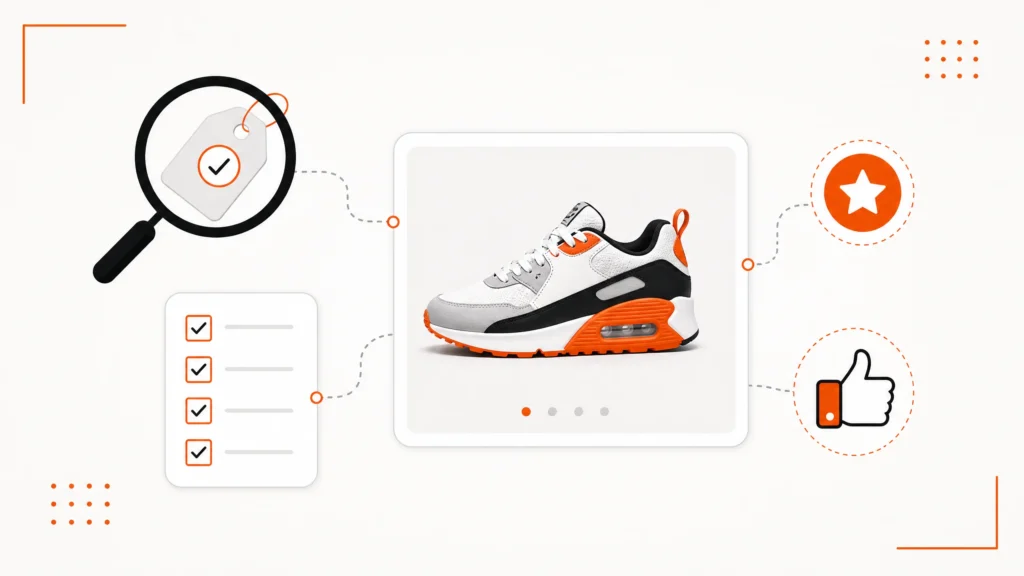
1. Front-Load Keywords in Your Title
Your title is the single most influential piece of on-page SEO you control.
You get up to 80 characters, and eBay’s algorithm weighs the words at the front more heavily than the ones trailing off at the end. Paste yours into the listing title analyser to see how many of those characters you are actually using.
The first 40 characters matter most of all. That’s what shows up in search results and on mobile screens before a buyer even taps into the listing.
Lead with brand, product type, and the two or three attributes buyers actually search for: size, color, model number, material.
Skip filler words like “Great,” “L@@K,” or my personal favorite, “RARE!!!”
Nothing kills credibility faster than three exclamation points doing the work your keywords should be doing.
Pro tip: Type your product into eBay’s own search bar and watch the autocomplete suggestions. That’s real buyer behavior, not a guess.
2. Complete Every Item Specific, All of Them
Item specifics are the structured attribute fields, brand, size, color, model, material, sitting quietly beneath your title, doing more heavy lifting than most sellers realize.
eBay uses item specifics for filtered search, and empty eBay item specifics delete you from filtered search rather than merely pushing you down it.
A buyer who filters by “color: red” will never see your listing if that field is empty. It does not matter that the word “red” is plastered across your title, description, and possibly your firstborn’s onesie.
Fill in every relevant field, not just the ones marked required.
This is the single most common gap we find when auditing new client accounts. It’s often an easy fix that produces an outsized jump in impressions.
Worth knowing: An empty item specific does not rank you lower, it removes you from that filter altogether. A buyer filtering by size never sees the listing at all, however good the title is.
3. Add Product Identifiers Where They Exist
If your product has a UPC, EAN, ISBN, or manufacturer part number, add it.
These identifiers let eBay match your listing to its product catalog, which can pull in manufacturer images, pre-filled specifics, and extra reach in relevant searches.
Skipping this field when it’s available is a small, easy miss that quietly caps how many searches your listing can even qualify for. It’s one of the more overlooked eBay listing optimization tips precisely because it takes thirty seconds and nobody bothers. Filling it in wrongly is the worse outcome, because wrong eBay product identifiers cost more than missing ones.
4. Choose the Most Precise Category, Not the Closest One
Listing in a broad or slightly-off category dilutes your reach, because Best Match assumes your item really belongs where you put it.
Take the extra ninety seconds to find the most specific leaf category available instead of defaulting to the general one at the top of the dropdown.
It directly affects which searches and filters your listing can even appear in.
How to check you’re in the right one: search your product on eBay, see which category the top-ranking listings use, and compare it against your own before you publish.
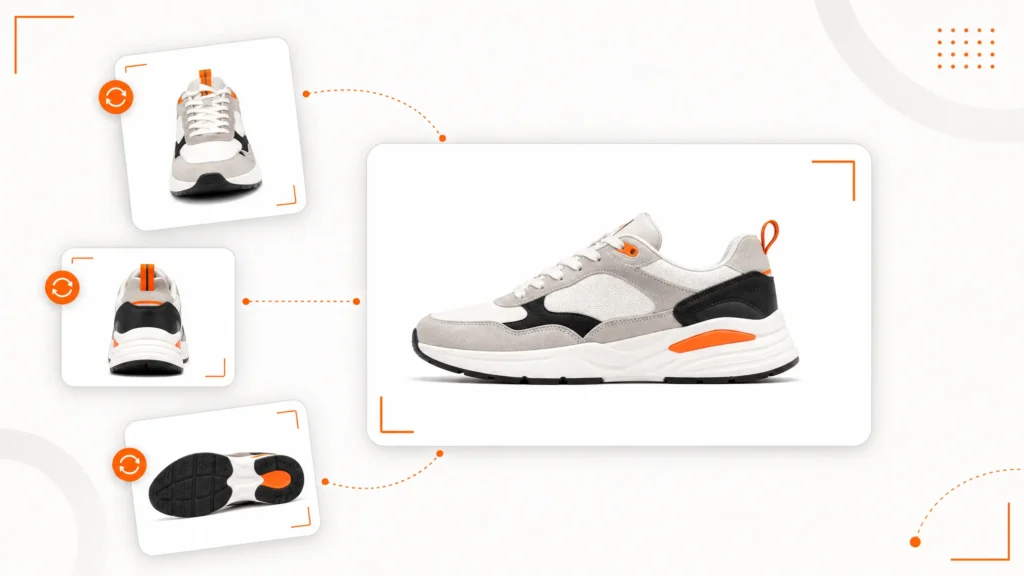
5. Use High-Quality, Compliant Photos
Photos affect both ranking and conversion.
Buyers judge a listing’s trustworthiness in about the time it takes to blink.
eBay recommends images with a minimum of 1,600 pixels on the longest side, which supports the zoom feature shoppers rely on to inspect detail before buying.
Use a clean background.
Show multiple angles.
Add a lifestyle or scale shot where it makes sense.
Listings with a full, high-resolution photo set often see better click-through and fewer returns, because buyers know exactly what they’re getting instead of guessing and hoping.
6. Add Video When You Can
Video is no longer a nice-to-have.
A short clip showing the product in motion, being unboxed, or demonstrating scale gives buyers information that photos simply can’t.
Listings with video tend to hold attention longer, and longer attention on a page is one of the quieter signals that tells eBay this listing is worth showing to more people.
You don’t need a production studio. A steady phone clip with good lighting does the job.
7. Write Descriptions for Humans First, Search Engines Second
A good description answers the questions a buyer would otherwise message you at 11 p.m. about: exact dimensions, compatibility, condition, and what’s actually in the box.
Keep it scannable with short paragraphs or bullets.
Do not stuff it with the same three keywords repeated nineteen times.
It doesn’t move your ranking. It also makes your listing read like the work of a very determined robot with a word quota to hit. (We would know.)
8. Research Real Sold Prices Before You Set Yours
Price is a ranking and conversion factor. Pricing off your own cost is a guess dressed up as a strategy.
eBay’s own Terapeak research tool shows what similar items sold for over the past 90 days. It shows sell-through rate too, so you can see real demand instead of assuming it.
Price within that range instead of undercutting everyone on reflex.
Better photos, faster shipping and a complete listing beat a low price often enough. Such a listing outsells the “cheapest option on the page,” because buyers are weighing trust, not just digits.
Do the arithmetic once: Work out your break-even after final value fees, ad rate and shipping before you set a price, not after the first sale. Our eBay fee calculator does it in about a minute, and once you have the figure the rest of the catalog prices itself.
9. Enable eBay Guaranteed Delivery Where You Can Commit To It
Guaranteed Delivery shows buyers an arrival date right on the listing. That comes with a small badge of confidence from eBay itself.
It reduces the “where is my item?” messages that eat your evenings. It also lifts conversion, because buyers hate doubt more than they hate paying a fair price.
Only enable it where your handling time and carrier reliably support the promise. Breaking that promise does more damage than never making it. This is one of the eBay listing optimization tips that pays off in conversion rate more than in raw impressions.
10. Use Promoted Listings Strategically, Not Desperately
Promoted Listings can boost visibility a lot. But it works best on a listing that already earns its keep, not as life-support for one that does not.
Start with a modest ad rate on your best-performing SKUs. What counts as modest depends on your margin rather than the category, and the break-even ad rate calculator gives you the number.
Watch what actually converts from the extra traffic.
Scale spend toward the winners.
Promoting a weak listing is just paying eBay to send more shoppers to a page that will disappoint them.
11. Keep Handling Time and Shipping Fast
Shipping speed and reliability feed directly into eBay’s ranking signals, and they’re a massive driver of buyer trust.
Shorter, accurate handling times support ranking.
They also protect you from the late-shipment issues that chip away at your seller performance standing.
12. Refresh Listings on a Regular Schedule
Listings left untouched for months lose relevance as buyer search behavior, competitor pricing, and seasonal demand shift underneath them.
Revisit your top listings on a set cadence: updating titles against current search trends, refreshing photos, and adjusting pricing.
Don’t treat “publish” as the final step in the process. Spoiler: it isn’t. Refreshing on a schedule is the dividing line. Some sellers apply eBay listing optimization tips once. Others compound the results.
13. Optimize for Mobile Shoppers
A large share of eBay’s traffic comes from phones. On a phone, shoppers see far less of your listing above the fold.
Front-load your most important details in the title and the very first line of your description.
Make sure photos are cropped tightly enough to actually be legible on a five-inch screen.
A listing can read beautifully on a 27-inch monitor. If it buries the important stuff three scrolls down on mobile, it bleeds sales it does not need to lose.

14. Use AI Tools to Speed Up Drafting, Then Edit Everything Yourself
eBay’s own AI tools, and plenty of third-party ones, now draft a rough listing from one product photo. Title, description and item specifics all come back filled in.
That’s useful for cutting drafting time on a large catalog.
What it isn’t useful for is replacing your judgment.
Always review AI-generated content before publishing. It misses the selling points only you know. It also invents details now and then, which is a fast way to earn a return you did not need.
15. Watch How Your Listings Affect Your Account Health
This is the tip most guides skip, and it’s arguably the most important one on this list.
Listing optimization and account health are connected, whether anyone talks about it or not.
Weak titles and incomplete item specifics lead to fewer, lower-quality clicks.
Lower-quality clicks and rushed fulfillment to compensate for slow sales can push up your Transaction Defect Rate.
A rising defect rate triggers seller performance flags. In serious cases that means an MC011 abnormal activity notice or an MC999 restriction. Those put the whole account at risk, not just one listing. Below Standard is the stage in between, and getting off eBay Below Standard costs you a full evaluation cycle whatever you do next.
With a large catalog, audit your listings and your account health dashboard on the same schedule. Treating them as two separate jobs is how sellers fix one while breaking the other.
Optimized vs Unoptimized eBay Listings at a Glance
| Element | Unoptimized Listing | Optimized Listing |
|---|---|---|
| Title | Vague, under 40 characters, no front-loaded keywords | Front-loaded keywords, close to the 80-character limit |
| Category | Broad, general category | Most specific relevant leaf category |
| Item specifics | Only required fields completed | Every relevant field completed, including identifiers |
| Photos | One or two low-resolution images | Five-plus images at 1,600px or more, plus video |
| Pricing | Based on cost or guesswork | Based on real sold-price research |
| Shipping | Slow, unpredictable handling time | Fast handling time, Guaranteed Delivery enabled where possible |
| Review cadence | Published once, never revisited | Reviewed on a set schedule |
| Account health awareness | Treated as unrelated to listings | Monitored alongside listing performance |
Tools That Make These eBay Listing Optimization Tips Easier to Apply
You can apply every tip on this list by hand, one listing at a time. Fuelled by nothing but caffeine and stubbornness.
Plenty of sellers do.
But if you’re managing more than a handful of SKUs, a few tools make the process considerably less painful.
eBay’s own Seller Hub reports. Free, and the most direct source of truth for click-through rate, sell-through rate, and traffic sources per listing. Start here before buying anything.
Terapeak. Built into eBay’s Seller Hub, it shows sold prices and sell-through rates from the past 90 days. Price on real demand instead of a hunch.
Bulk editing tools. For updating titles, item specifics or pricing across hundreds of listings at once. The alternative is clicking into each one like it’s 2009.
A shared tracking sheet or dashboard. A spreadsheet with your top 50 SKUs, the last-optimized date and the current title will do. That way “refresh listings quarterly” is a system instead of a New Year’s resolution nobody follows past February.
None of these tools replace the actual thinking behind good eBay listing optimization tips.
They just remove the dull parts. Spend your energy on the parts that need a human brain, like working out what your buyer actually wants.
eBay Listing Optimization Tips for Sellers Managing Large Catalogs
Everything above works whether you have twelve listings or twelve thousand, but the execution changes meaningfully at scale. Past a few hundred SKUs, listing work turns into ongoing eBay SEO rather than a one-off pass.
A few adjustments worth making once your catalog grows past what one person can eyeball in an afternoon.
Triage before you optimize. Not every SKU deserves equal attention. Rank your listings by revenue contribution and traffic potential, then apply these eBay listing optimization tips to your top 20% first. That’s usually where most of your realistic upside is sitting, quietly waiting for someone to notice it.
Template your title structure, then customize the details. One title formula, brand, product type, key attribute, key attribute, condition, makes bulk edits faster. It also keeps your catalog looking planned. Without it, the shop reads like thirteen people wrote it on thirteen different days. Which is, in fact, what happened.
Build a “flagged for review” tag into your workflow. It can be a spreadsheet column, a project board, or a sticky note on someone’s monitor. Falling impressions, rising return rates or stale photos should pull a listing into a queue on their own. Do not rely on someone remembering to check.
Don’t optimize everything the same week. Rolling changes out slowly lets you see what worked. Change forty things at once and you will have no idea which one moved the needle. Cassini doesn’t hand out participation trophies for effort. It rewards results you can actually attribute to a specific change.
Common eBay Listing Mistakes That Undo Good Optimization
- Leaving item specifics blank during bulk uploads to save five minutes now and lose visibility for months.
- Keyword-stuffing titles and descriptions instead of writing for both relevance and actual human readability.
- Reusing generic stock photos instead of original product images.
- Ignoring negative feedback trends instead of investigating the root cause.
- Skipping product identifiers (UPC, MPN, ISBN) when they’re available.
- Publishing a listing once and never touching it again, as if it were a museum exhibit.
eBay Listing Pre-Publish Checklist
Run every listing through this before you hit publish and walk away feeling productive.
- Does the title lead with the words a buyer would actually type, front-loaded in the first 40 characters?
- Are all relevant item specifics filled in, not just the required fields?
- Are product identifiers (UPC, MPN, ISBN) added where they exist?
- Is the listing in the most specific category available?
- Are there at least five high-resolution photos, with video if possible?
- Is the price based on real sold-listing data rather than a guess?
- Is Guaranteed Delivery enabled where your shipping can support it?
- Would this listing still make sense to someone scrolling on a phone with one thumb, half paying attention?
- Is this listing booked in for a future review? Or is it joining the graveyard of things optimized once and never looked at again?
If you can check every box, you’ve applied the core of these eBay listing optimization tips correctly.
If you paused on any of them, you’ve just found your next five minutes of actual, useful work.
How Often Should You Apply These eBay Listing Optimization Tips?
For your active, high-volume SKUs, a quarterly review is a reasonable baseline.
Check titles against current search trends. Confirm item specifics are still complete. Refresh photos if quality has slipped.
For a full catalog, prioritize your top revenue-driving listings first, since that’s where the return on optimization effort is highest.
You don’t need to overhaul everything at once. You need a schedule you’ll actually stick to.
Further reading: eBay sets out its own rules on listings and rankings. Start with Create great listings in Seller Center. Then read Listing best practices, and its guide to eBay research tools for the market data.
FAQs About eBay Listing Optimization Tips
What is eBay listing optimization?
eBay listing optimization means improving a listing’s title, item specifics, photos, video, description and price. The aim is to rank higher in eBay search and turn more views into sales.
What are the best eBay listing optimization tips for beginners?
Start with the basics. A keyword-front-loaded title, complete item specifics, the most precise category available, and at least five high-quality photos. These eBay listing optimization tips alone typically produce the biggest early gains.
How does eBay’s search algorithm rank listings?
eBay uses a ranking system called Best Match, built on its Cassini search engine. It weighs how closely a listing matches what the buyer typed. It also weighs signals like item specifics, price, click-through rate and seller history.
What is the ideal length for an eBay listing title?
eBay allows up to 80 characters in a listing title, with the first 40 characters weighted most heavily. Using close to the full character limit, with the most important keywords placed first, often supports better reach.
Do item specifics really affect eBay rankings?
Yes. Item specifics power eBay’s filtered search. A listing with gaps can drop out of filtered results, even when the missing detail sits elsewhere on the page.
How often should I update my eBay listings?
A quarterly review of your top-performing listings is a fair baseline. Update more often for seasonal stock, or in categories where rival prices move fast.
Can Promoted Listings fix a poorly optimized listing?
Not on its own. Promoted Listings lifts reach, but it works best on listings that are already optimized. Promoting a weak listing just sends more shoppers to a page that won’t convert well.
Should I use Terapeak for pricing my eBay listings?
Yes. Terapeak shows real sold prices and sell-through rates from the past 90 days. That beats guessing from your own cost.
Is video worth adding to an eBay listing?
Yes, where it’s practical. Video tends to hold buyer attention longer and can show detail and scale that photos alone can’t communicate.
Should I use AI tools to write my eBay listings?
AI tools can speed up drafting titles, descriptions, and item specifics, especially across a large catalog. Always review and edit the output, since it can miss product-specific selling points or introduce inaccurate details.
Can poor listing optimization actually hurt my eBay account, not just my sales?
Yes. Weak listings produce lower-quality traffic and rushed fulfillment. Both raise your Transaction Defect Rate, which eBay watches as part of your seller performance standing.
What eBay listing mistakes should I avoid?
The most common mistakes are incomplete item specifics, keyword-stuffed titles and low-quality photos. Two more are skipping product identifiers and never revisiting a listing after it goes live. Avoiding these is just as important as applying the right eBay listing optimization tips.
Final Thoughts on eBay Listing Optimization Tips
Three passes, in this order.
First, fix relevance. Title, item specifics, category and product identifiers. These decide which searches you are eligible for at all, and no amount of presentation compensates for being invisible.
Second, fix presentation. Photos, video and a description written for a human being. These decide whether the click turns into a sale.
Third, fix performance. Handling time, pricing and account health. These decide whether eBay keeps showing you once the first two are working.
Then put the whole thing on a schedule, because a listing you optimized in March is competing against one somebody edited last week.
Worth remembering: eBay is not scoring your cleverness. It is optimizing for buyer happiness, and every tip above sits downstream of that.
Some sellers do all of this and sales still do not move. Others are juggling account health on top of a growing catalog. That is the point where hired help pays for itself, and it is what our eBay listing optimization services cover. Where a listing problem has already hardened into a restriction, our suspension removal team handles that instead.
Apply even half of these eBay listing optimization tips with any consistency and the shift usually shows inside a billing cycle. Not because of an algorithmic loophole, but because you finally gave Cassini enough reasons to take the listing seriously.
Sources
- eBay Seller Center, Create great listings, on the 80 character title field, what belongs in a title, and the condition and photograph guidance behind several of these tips.
- Further detail in Listing best practices, on category choice, product identifiers and the electronics title examples.
- Guidance on item specifics, for the structured fields behind search filters.
- The search manipulation policy, for the line between optimising a listing and breaking a rule.
- Market data tools sit in eBay research tools.
- Our own figures come from published client cases with the eBay messages attached, collected in our eBay case study library.

Ali Khan is the founder of EcomVengers, the eBay growth and account recovery agency. He has spent the better part of a decade pulling suspended sellers back from MC011 and MC999 notices, repairing wrecked defect rates, and turning buried listings into ranked ones. When eBay's villains show up, he is the one sellers call. You handle the millions, he handles the villains.
View all posts by Ali Khan